
EngageBay vs HubSpot is one of the most searched CRM comparisons in 2026—and for good reason.
Both platforms offer powerful tools for sales, marketing, and customer support, but they are built for very different types of businesses.
In this updated 2026 comparison, we break down pricing, features, AI capabilities, automation depth, customer support, and overall value to help you decide which CRM fits your business size, budget, and growth goals.
To set the context, EngageBay and HubSpot CRM share some similarities.
They both have a fully integrated CRM suite and specific tools that support marketing, sales, and customer service teams.
However, when you compare EngageBay vs HubSpot, there are key differences like pricing, specific features, quality of support, and more that you should consider before investing in either CRM.
In this post, we’ll give you all the information you need to make the right choice before opting for EngageBay or HubSpot CRM.
Here’s what you’ll learn:
- What are EngageBay and HubSpot CRM?
- EngageBay Vs HubSpot: Pros & Cons at a Glance
- EngageBay vs HubSpot: Key differences
- Who is HubSpot best for?
- Who is EngageBay best for?
- What is it like to use a HubSpot CRM alternative?
- How do EngageBay and HubSpot compare in usability?
- How do EngageBay and HubSpot compare in marketing automation?
- How do EngageBay and HubSpot compare in sales tools?
- How do Engagebay and HubSpot compare in service tools?
Table of Contents
What are EngageBay and HubSpot CRM?
EngageBay is an all-in-one CRM with a suite of tools to help your business acquire, engage, nurture, and convert leads into customers.
Its unified CRM suite has marketing, CRM & Sales, and Service Bays. It is widely recognized as a more affordable HubSpot alternative.
Also an integrated email marketing software, HubSpot CRM consists of tools that make it easy to manage customer data, communications, and related processes.
It comprises Marketing Hub, Sales Hub, Service Hub, CMS Hub, and Operations Hub.
EngageBay Vs HubSpot (2026): Pros & Cons at a Glance
Take a look at the Pros & Cons for both EngageBay and HubSpot:
EngageBay Pros
-
Free, full-featured help desk & live chat – The EngageBay free CRM offers unlimited tickets, agents, and chats for life.
-
Budget-friendly pricing that starts at $0 – paid CRM Suite begins at $14.99/user per month; no contracts or onboarding fees.
-
All-in-one toolset for SMBs – marketing automation, sales, service, and 360° contact view inside one interface.
-
Top-rated ease of use (9.1/10 on G2) with a clean, intuitive UI.
-
Responsive human support on every tier – live chat and email even on the free plan, plus a dedicated CSM from Growth upward.
-
Free assisted migrations to make switching painless.
EngageBay Cons
-
Smaller native app marketplace – relies heavily on Zapier/Integrately; far fewer one-click integrations than HubSpot.
-
Limited enterprise features – no custom objects, granular permission sets, or marketing-events object.
-
Template & page editors feel clunky – newcomers report a steeper learning curve when exploring the many modules.
HubSpot Pros
-
Generous free CRM – up to 1 million contacts, unlimited view-only users, plus email marketing, forms, live chat, and pipelines.
-
Massive feature breadth & ecosystem – six hubs (Marketing, Sales, Service, CMS, Ops, Commerce) and 1,000+ vetted integrations.
-
Polished UX & guided onboarding – drag-and-drop tools and structured tutorials speed up adoption.
-
Seat-based pricing can lower entry cost – Core seats at $20 each, view-only seats remain free.
-
Deep analytics & automation at Pro tier – advanced SEO, ABM, AI content assistant, and revenue attribution.
HubSpot Cons
-
Total cost rises quickly – Starter may be $18–$50/month, but Professional jumps to ~$890/month (Marketing Hub) plus $3k–$12k onboarding and annual contracts.
-
Complex seat structure & lost free edits – 2024–25 pricing shift introduced paid Core seats and license confusion.
-
No live support on the free plan – community forums only; real chat/phone support starts at Starter.
-
Limited chatbot depth & analytics compared with specialist providers; no built-in AI for live-chat flows.
-
Template customisation can be restrictive for power users needing bespoke layouts or advanced objects.
How to use this list
-
Early-stage or cost-sensitive? EngageBay’s forever-free help desk and low-commitment paid plans keep risk minimal.
-
Scaling fast with complex data models? HubSpot’s breadth, custom objects, and vast marketplace may justify the premium—just budget for onboarding and potential seat creep.
Match your must-have features (e.g., advanced automation, deep integrations) against your budget horizon to choose the best fit.
👉 Enhance your email marketing with our free email templates designed to boost engagement and conversions.
EngageBay vs HubSpot: Key Differences in 2026
Here, we’ll focus on the main differences that exist between EngageBay and HubSpot in terms of the Marketing, Sales, and Service bays/hubs and the all-in-one CRM suite.
EngageBay vs HubSpot Pricing (2026)
EngageBay Pricing in 2026
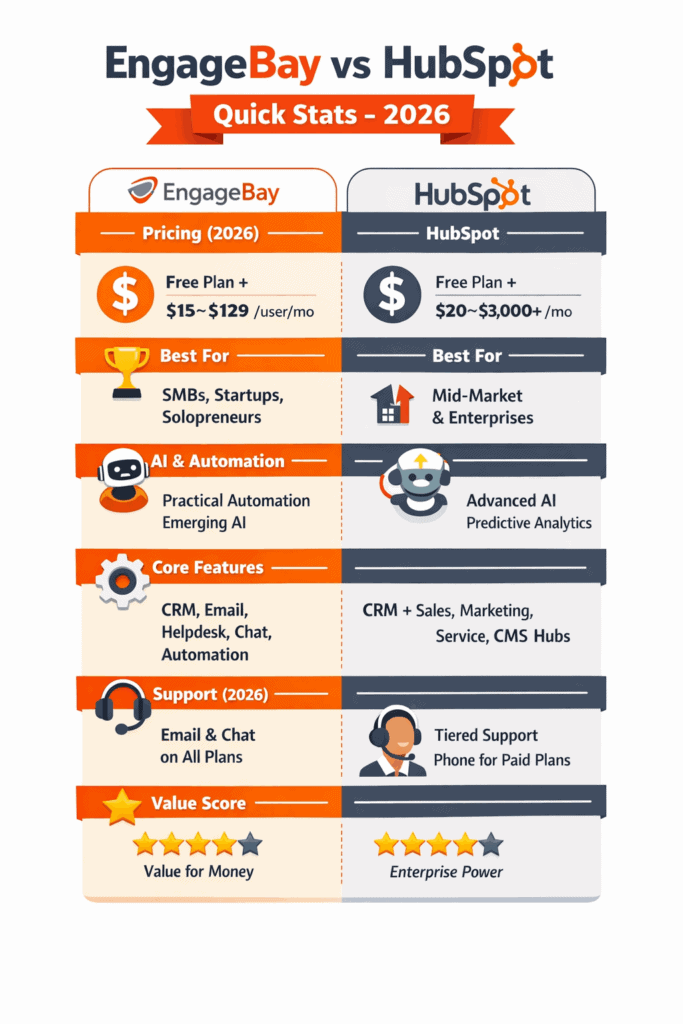
EngageBay remains one of the most cost-effective all-in-one CRMs in 2026, especially for startups and SMBs.
- Free Plan: CRM, email marketing, helpdesk, and live chat for up to 15 users
- Basic: Starts around $15/user/month
- Growth: Around $65/user/month with automation and advanced reporting
- Pro: Up to ~$129/user/month with custom roles, priority support, and advanced automation
Unlike HubSpot, EngageBay does not aggressively increase pricing as contacts grow, making costs more predictable in 2026.
HubSpot Pricing in 2026
HubSpot pricing has continued to rise in 2026, particularly across Professional and Enterprise tiers.
- Free CRM: Limited automation and reporting
- Starter: Starts around $20–30/user/month
- Professional: Commonly $800–$1,000+/month per hub
- Enterprise: Can exceed $3,000+/month depending on hubs, contacts, and AI features
Costs often increase further due to onboarding fees, contact-based pricing, and paid add-ons.
This table can help you understand better:
| User requirement | Previous pricing structure | New pricing structure |
| Users requiring view-only access to reports, records, and other data | Included in the free plan | Now offered in the free, View-Only seat |
| Users requiring edit access to records and reports, email tracking, and other editable tasks | Included in the free plan | Now offered in the paid, Core seat |
| Users requiring sales and service-specific features | Dedicated Sales and Service seat | Dedicated Sales and Service seat |
Winner between EngageBay and HubSpot in Pricing: EngageBay
“In the past I used HubSpot and Salesforce. I expected switching to EngageBay would be hard, but it was actually simple. The platform is incredibly user-friendly, feature-rich and intuitive—perfect for anyone coming from other CRMs.”
— Birendra K., Small-business user (G2)
Marketing Madness: HubSpot vs EngageBay Face-Off!
Read also: HubSpot Pricing and Detailed Comparison with Other Alternatives
EngageBay Vs HubSpot Contract
EngageBay’s Terms
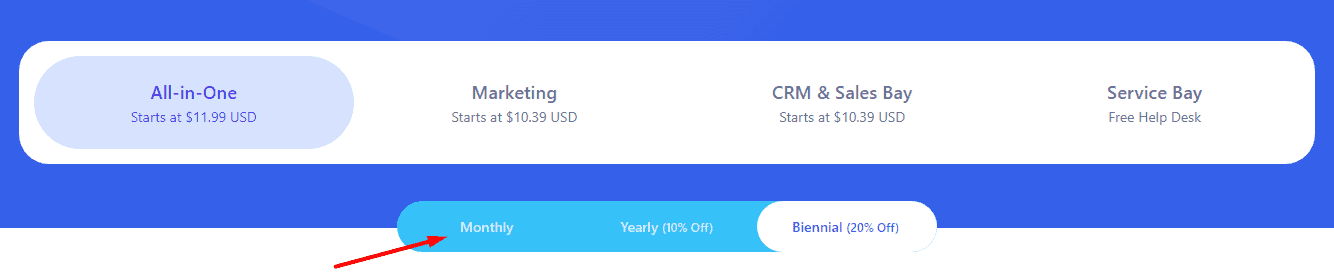
There are no mandatory annual contracts or commitments on EngageBay.
You can choose to pay for as many months as you like and cancel at any time.
This allows you to assess if the CRM meets your needs before investing in a yearly or biennial plan.
HubSpot’s Terms
Only HubSpot’s Starter plans allow you to commit to a monthly payment.
While you can pay monthly in the Professional packages, you’ll have to commit to an annual contract.
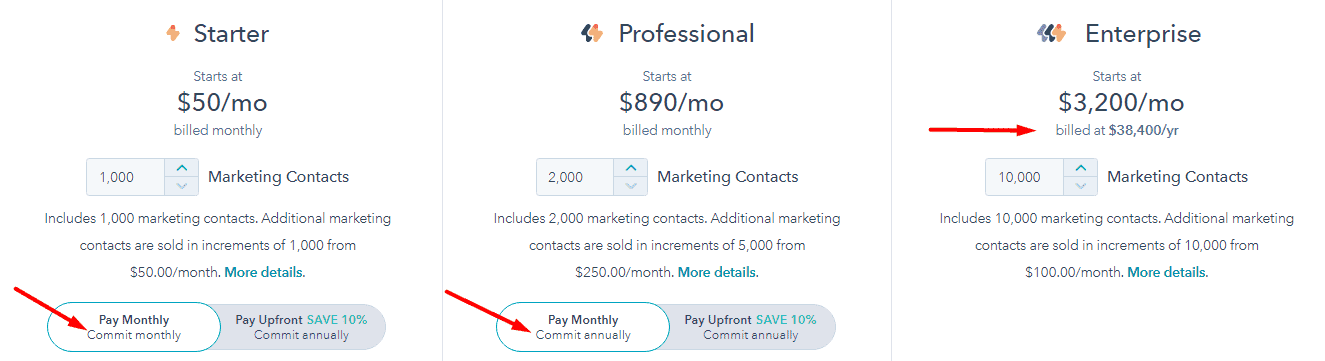
Here’s how it works:
Let’s say your contract requires a 12-month commitment and a monthly billing cycle.
If your needs change in month 7 and you cancel your subscription, you’ll still have to pay for the unused 5 months.
This mandatory yearly commitment also applies to the Starter and Pro plan for the CRM suite.
For the Enterprise plan in all HubSpot’s products—hubs and CRM suite—you have to pay upfront for a year’s subscription.
Winner between EngageBay and HubSpot in Contract: EngageBay
Read also: Top 5 HubSpot Competitors For The Cost Conscious
No time to read so much? No worries! Here’s a quick verdict summary followed by a video explaining how EngageBay compares to HubSpot:
EngageBay vs HubSpot: 2026 Quick Verdict
- Choose EngageBay if you want an affordable, all-in-one CRM with marketing, sales, and support tools starting free.
- Choose HubSpot if you need advanced enterprise automation, deep analytics, and can justify significantly higher costs.
For most small and mid-sized businesses in 2026, EngageBay delivers better ROI, while HubSpot is best suited for large teams with complex workflows.
Check out this video as well:
EngageBay Vs HubSpot – Which Is Better for CRM?
EngageBay Vs HubSpot Functionality
Both CRMs have great tools to help you attract visitors, connect with customers, and close more deals.
In subsequent sections, we’ll explore specific features in EngageBay and HubSpot’s CRM suites and bays/hubs.
Let’s look at some prominent features:
EngageBay CRM Features
Offers contact management, sales & marketing automation, appointment scheduling, deal management, forms & landing pages, email sequences, ticket management, chat form customization, analytics & reporting, integrations, ABM tools, and more, making it a top HubSpot alternative.
HubSpot CRM Features
Offers campaign management, meeting scheduling, analytics & reporting dashboard, email marketing, live chat, contact management, sequences, landing page & form builder, lead tracking, lead management, marketing automation, ticketing, integrations, and more.
Winner between EngageBay and HubSpot in Functionality: Tie
Read also: What is HubSpot? Definition, Features, Pricing, Who it’s Best for
EngageBay Vs HubSpot Customer Support
EngageBay
EngageBay provides 3 customer support options—Email & chat, a dedicated account manager, and phone support.
The best part is that all users have access to email & chat assistance, even if you’re on the free plan.
According to customers’ reviews, the text support is quick, incredibly helpful, and exceptional.
Here’s what a customer has to say (EngageBay review):
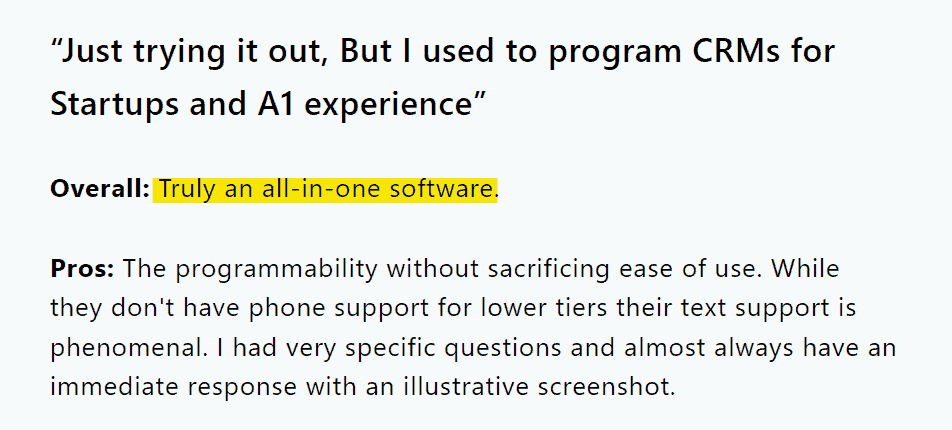
The Growth plan and above come with a dedicated account manager. If you upgrade to the pro version, you’ll get additional phone support.
HubSpot
HubSpot offers email & chat support for all Starter plans and above. From customers’ reviews, the chat option is an easy way to get help.

On the Professional and Enterprise accounts, you’ll get additional support via phone.
However, unlike EngageBay, there’s no support for the free plan in HubSpot. You’ll have to follow conversations on the HubSpot community or get answers from other users.
Winner between EngageBay and HubSpot in Customer Support: EngageBay
Enhance Your Email Marketing
Want to make your emails more impactful? Check out our beautiful, easy-to-customize email templates. Designed to boost engagement, these templates from EngageBay will help your emails stand out. Just customize the images, headings, and CTAs for your brand, and hit send in a few minutes!
Who Is HubSpot Best For in 2026?
HubSpot targets businesses of all sizes that wish to optimize their marketing, sales, and customer service processes on one platform. However, as many businesses have varying needs, what’s ideal for a large-scale enterprise may not be the same for a startup or SMB.
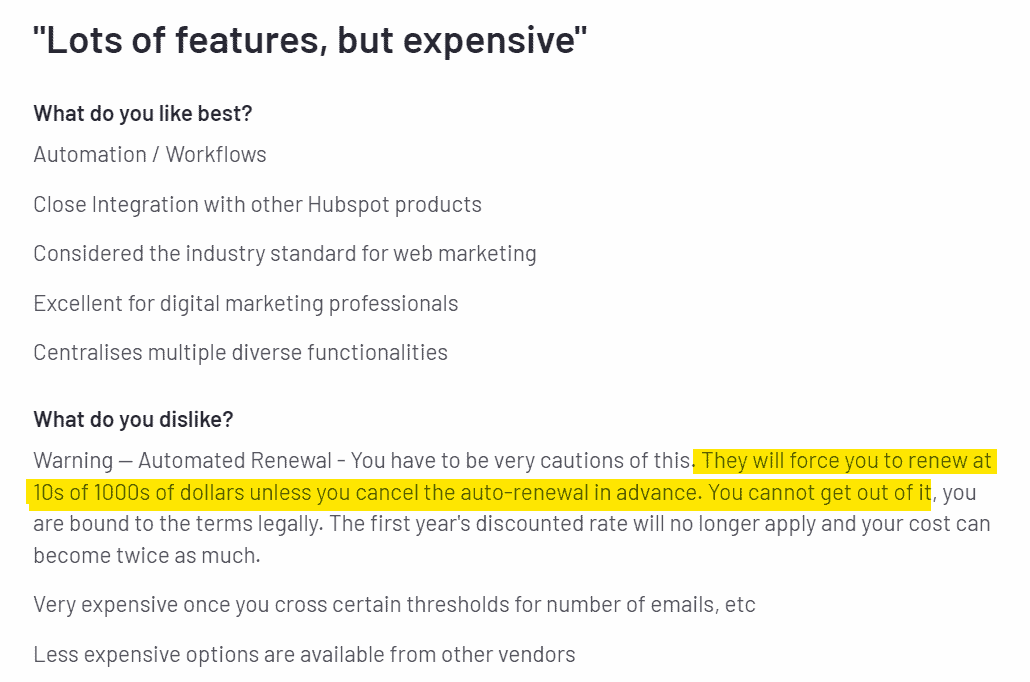
HubSpot bridges this gap by providing free, Starter, Professional, and Enterprise plans that fit the needs of small to large businesses.
But when it comes to pricing, the odds are tilted slightly against small businesses. For instance, you may start with the free plan. As your business needs increase and you need ABM tools and automation, you’ll have to upgrade to the Professional plan, which costs $890/mo in the Marketing hub, a one-time $3000 mandatory onboarding, and an annual commitment.
This expensive pricing makes HubSpot less ideal for most SMBs and more suited to large organizations with deep pockets.
👉 Boost your email campaigns with our free, customizable email templates that drive results.
Read also: An In-Depth Look At HubSpot vs Pipedrive
Who is EngageBay Best For in 2026?
EngageBay is built with small to mid-sized businesses in mind.
SMB owners can get all the features they need at incredibly affordable and much lower prices. This includes up to 26 features on the EngageBay free CRM plan and powerful functionality like 360-degree customer view, timezone-based email delivery, and landing page A/B testing in the paid packages.
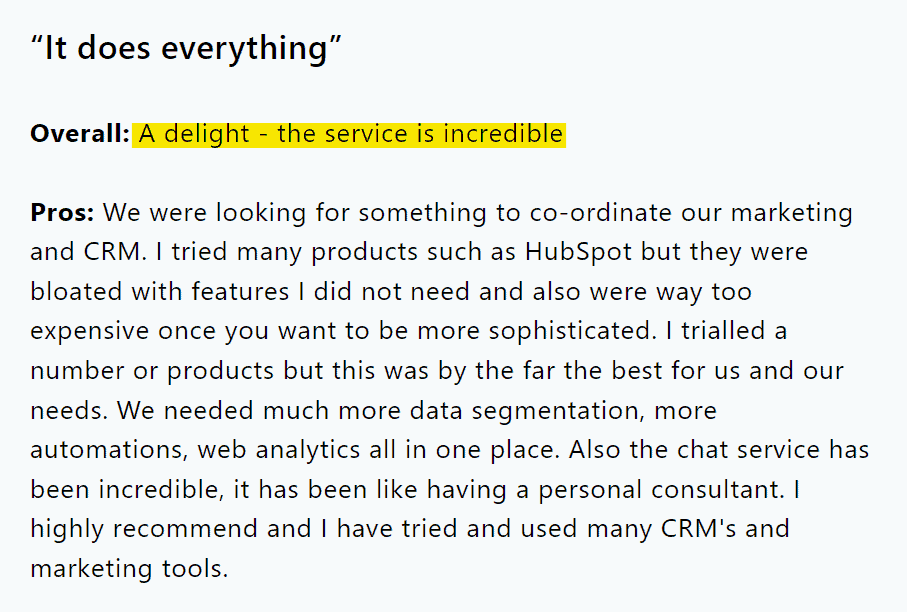
EngageBay’s pricing is budget-friendly too. For example, to get marketing automation, you’ll only have to pay $34.99/mo on the Marketing bay. Onboarding is free and you aren’t locked into a mandatory annual commitment either.
If you’re an SMB owner looking for a scalable CRM that’s affordable, EngageBay checks all the boxes.
Read also: Is HubSpot CRM Truly Free? An Unbiased Guide (with User Reviews)
What Is It Like To Use a HubSpot CRM Alternative in 2026?
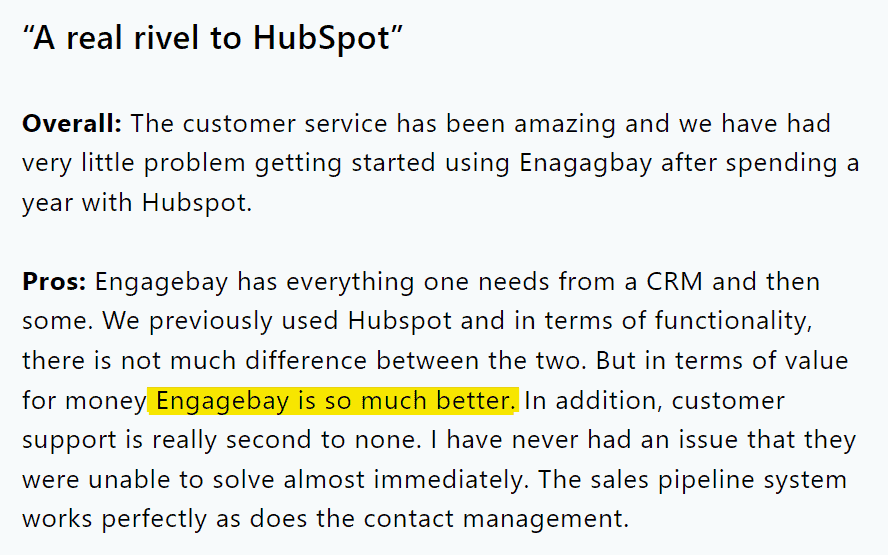
Imagine an all-in-one CRM software where you get all the features you need to run your business, an easy-to-use platform, and high-quality support for a fraction of HubSpot’s pricing. That’s what it’s like to use an excellent HubSpot alternative like EngageBay.
Don’t take our word for it. Let’s see what customers who used HubSpot but switched to EngageBay have to say:
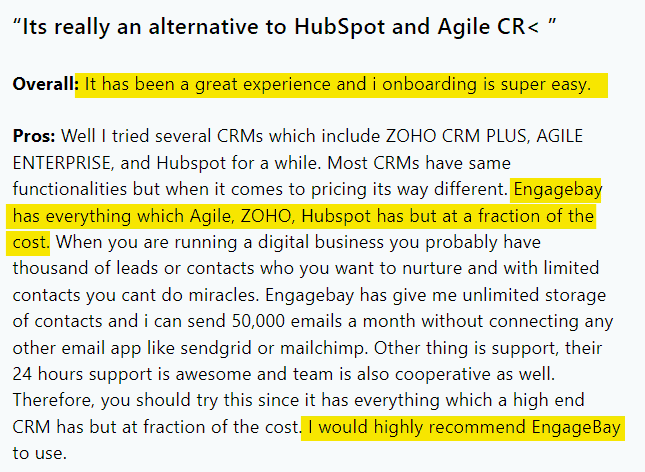
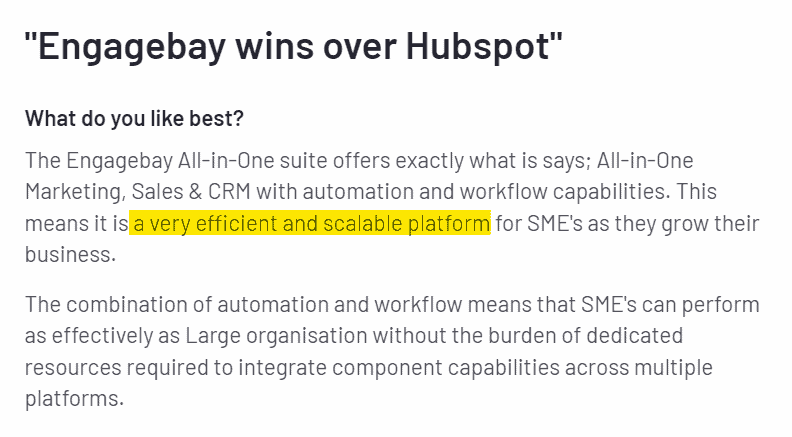
Read also: CRM Showdown — HubSpot vs Zoho Review and Comparison
How Do EngageBay And HubSpot Compare in Usability (2026)
Choosing a CRM your team can implement without any special training could save you from lots of CRM nightmares, like relying on inaccurate data due to a wrong configuration. This makes usability a key factor to consider when choosing between EngageBay and HubSpot CRM.
Let’s look at the usability of both CRMs:
EngageBay CRM
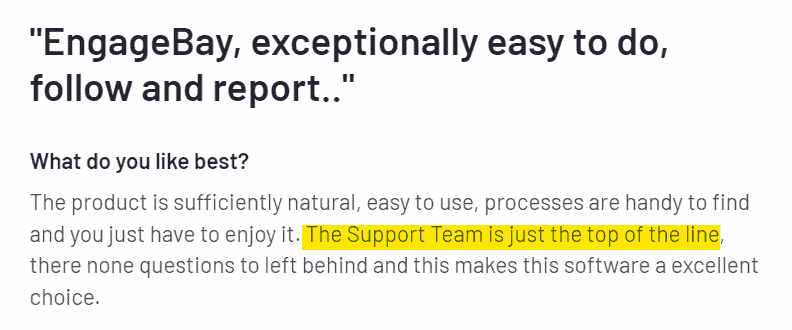
Nearly all customer reviews reflect that EngageBay has an intuitive UI that’s easy to use with or without customer support.
Of course, experiences vary. This explains why a few users also note that EngageBay has a bit of a learning curve as they expect in any other CRMs during setup.
Here are EngageBay’s ratings in G2’s usability score:
Ease of use: 9.1. Ease of setup: 9.1
HubSpot CRM
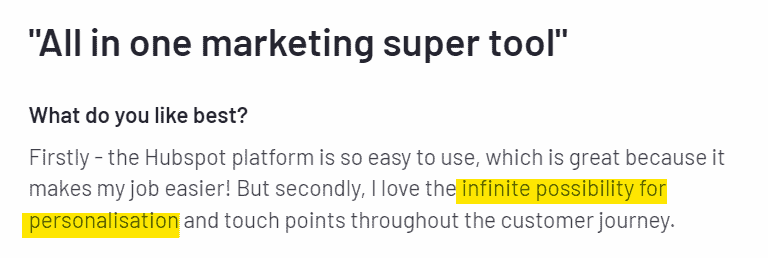
According to reviews from most HubSpot customers, the platform is user-friendly. However, other customers also mentioned that using HubSpot can be complicated, with a learning curve ranging from moderate to very high.
Here are HubSpot’s ratings in G2’s usability score:
Ease of use: 8.6. Ease of setup: 8.1
How Do EngageBay And HubSpot Compare In Marketing Automation? (2026)
While both CRMs have some similar functionality, there are features in EngageBay that aren’t present in HubSpot and vice versa. The best CRM, in this case, comes down to the features you need from your ideal CRM software.
Note: There are more features in both HubSpot and EngageBay than those listed below (and in other sections), but we’ll focus on the prominent functionalities of both CRMs.
Free Plan
| Feature | EngageBay | HubSpot |
| Email marketing | ✔ | ✔ |
| Reporting dashboard | ✔ | ✔ |
| Integrations | ✔ | ✔ |
| Marketing events object | × | ✔ |
| Custom user permissions & management | × | ✔ |
| Basic predictive lead score | ✔ | × |
| SSL-enabled landing pages | ✔ | × |
| Social suite | ✔ | × |
| Email sequences | ✔ | × |
| Technical support | Email & chat | × |
Basic vs Starter Plan
| Feature | EngageBay Basic | HubSpot Starter |
|---|---|---|
| Multiple currencies | × | ✔ |
| Payments | × | ✔ |
| Email health insights | × | ✔ |
| Custom fields | ✔ | ✔ |
| Lead scoring | ✔ | × |
| Email & chat support | ✔ | ✔ |
Growth vs Professional
| Feature | EngageBay Growth | HubSpot Professional |
|---|---|---|
| A/B testing | ✔ | ✔ |
| Automation | ✔ | ✔ |
| Blog & SEO tools | × | ✔ |
| Triggers | ✔ | ✔ |
| Single sign-on | ✔ | × |
| Technical Support | Email, Chat, & dedicated account manager | Email, chat, & phone |
Pro vs Enterprise
| Feature | EngageBay Pro | HubSpot Enterprise |
|---|---|---|
| Predictive Lead scoring | ✔ | ✔ |
| Role management | ✔ | ✔ |
| Hierarchical teams | ✔ | ✔ |
| Advanced analytics | ✔ | ✔ |
| Single sign-on | ✔ | ✔ |
| Technical Support | Email, Chat, & dedicated account manager, phone support | Email, chat, & phone |
👉 Enhance your email marketing with our email templates.
Read also: HubSpot vs Insightly — Pricing, Functionality, Features & More
How Do EngageBay And HubSpot Compare In Sales Tools? (2026)
Below are notable features you’ll get from each plan in EngageBay Sales Bay and HubSpot CRM to support your sales process:
Free Plan
| Feature | EngageBay | HubSpot |
| Meeting scheduling | ✔ | ✔ |
| Reporting dashboard | ✔ | ✔ |
| Contact management | ✔ | ✔ |
| Integrations | ✔ | ✔ |
| Social suite | Twitter, Facebook, Instagram | × |
| Deals | ✔ | ✔ |
| Email templates | ✔ | ✔ |
| Email tracking | ✔ | ✔ |
| Technical support | Email & Chat support | × |
Basic vs Starter Plan
| Feature | EngageBay Basic | HubSpot Starter |
|---|---|---|
| Calling minutes | ✔ | ✔ |
| Goals | ✔ | ✔ |
| Sales Automation | × | ✔ |
| Deal pipeline customization | ✔ | ✔ |
| Technical support | Email & Chat support | Email & Chat support |
Growth vs Professional
| Feature | EngageBay Growth | HubSpot Professional |
|---|---|---|
| Sales Automation tools | ✔ | ✔ |
| Timezone-based email delivery/smart send times | ✔ | ✔ |
| Email sequences | ✔ | ✔ |
| Proposals | ✔ | ✔ |
| Multi-currency | ✔ | ✔ |
| Technical Support | Email, Chat, & dedicated account manager | Email, Chat, & phone |
Pro vs Enterprise
| Feature | EngageBay Pro | HubSpot Enterprise |
|---|---|---|
| Proposal analytics | ✔ | ✔ |
| Role management | ✔ | ✔ |
| Call transcripts | ✔ | ✔ |
| Account-Based Marketing | ✔ | ✔ |
| Playbooks/Sales scripts | ✔ | ✔ |
| Technical Support | Email, Chat, dedicated account manager, phone | Email, Chat, & phone |
How Do EngageBay And HubSpot Compare in Customer Service Tools? (2026)
EngageBay Support
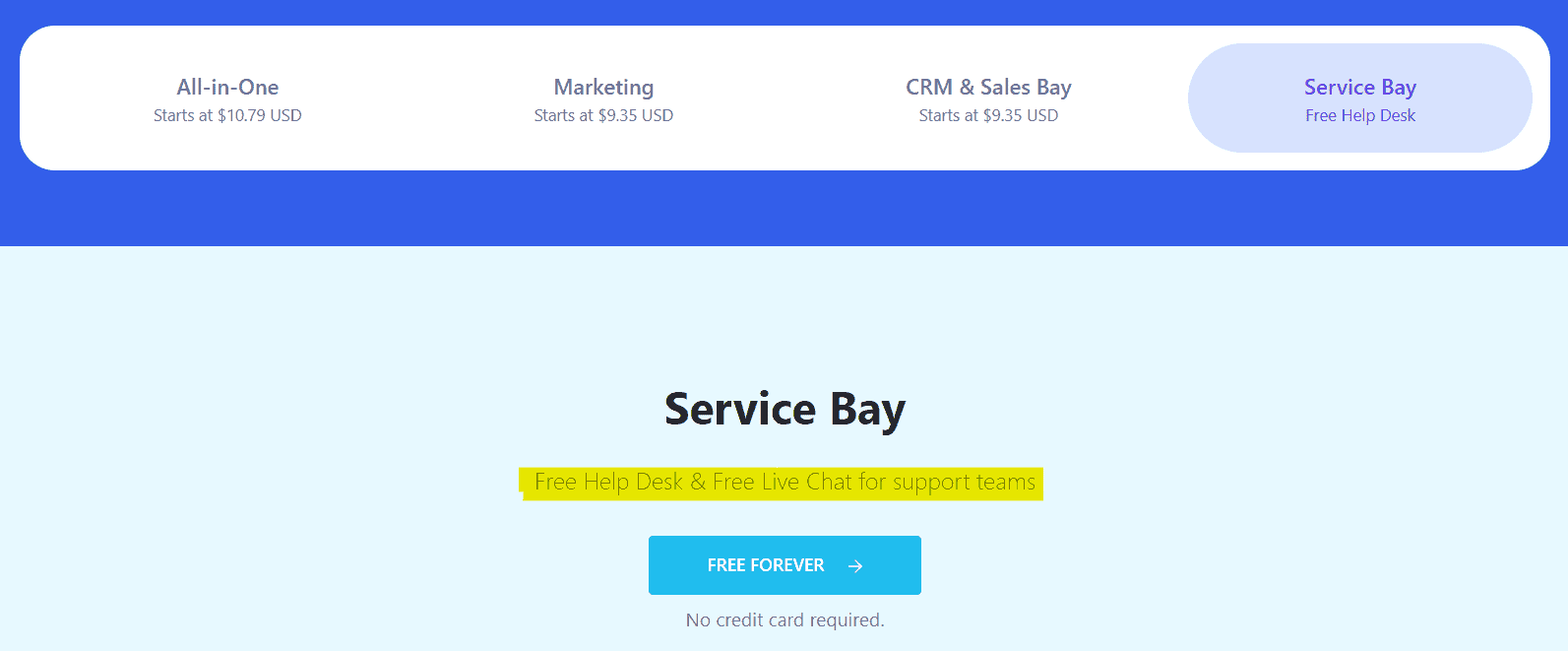
- Email and chat support available even on free plans
- Priority support on paid tiers
- Strong onboarding assistance for SMBs
HubSpot Support
- Community and knowledge base access on free plans
- Phone support mainly on Professional and Enterprise tiers
- Dedicated success managers for enterprise customers
EngageBay offers more accessible support for smaller teams, while HubSpot prioritizes enterprise-level service.
Let’s look at how EngageBay and HubSpot Service tools stack up:
| Feature | EngageBay | HubSpot | |||
| Free | Starter | Pro | Enterprise | ||
| Ticketing | ✔ | ✔ | ✔ | ✔ | ✔ |
| Live chat | ✔ | ✔ | ✔ | ✔ | ✔ |
| Canned responses | ✔ | ✔ | ✔ | ✔ | ✔ |
| Smart workflows/workflow automation feature | ✔ | × | ✔ | ✔ | ✔ |
| Permission sets | × | × | × | ✔ | ✔ |
| Field-level permissions | × | × | × | × | ✔ |
| Custom objects | × | × | × | × | ✔ |
| Reporting | ✔ | ✔ | ✔ | ✔ | ✔ |
| Integrations | ✔ | ✔ | ✔ | ✔ | ✔ |
| Conversation routing | ✔ | × | ✔ | ✔ | ✔ |
| Feedback management | ✔ | × | × | ✔ | ✔ |
| Live chat transcripts | ✔ | × | × | × | ✔ |
| SLAs | ✔ | × | × | × | ✔ |
| Technical support | Email & chat support | × | Email & chat support | Email, chat, & phone | Email, chat, & phone |
Learn more about EngageBay:
“I have a lot of experience with HubSpot and Salesforce. HubSpot’s functionality was great but far too expensive for my current company. EngageBay delivers most of the same features at a fraction of the price.”
— Jason T., Project Manager (Construction industry), July 12 2024 (Capterra)
Sign up with EngageBay for free
EngageBay Vs HubSpot (2026)
How Do EngageBay And HubSpot Compare In
AI & Automation Capabilities (2026)
EngageBay AI & Automation
- Workflow automation for sales, marketing, and support
- Smart email sequencing and behavioral triggers
- Lead scoring and activity tracking
- AI-assisted campaign optimization (emerging features)
HubSpot AI & Automation
- AI-generated content and email suggestions
- Predictive lead scoring and forecasting
- Advanced analytics and attribution modeling
- AI assistants across Sales, Marketing, and Service hubs
In 2026, HubSpot leads in advanced AI analytics, while EngageBay focuses on practical automation without enterprise-level complexity or cost.
CRM Market Trends in 2026: EngageBay vs HubSpot
- AI-powered automation is now standard across modern CRMs
- SMBs favor predictable pricing over feature overload
- HubSpot continues targeting mid-market and enterprise teams
- EngageBay positions itself as a high-value all-in-one CRM for growing businesses
In 2026, the CRM decision is less about feature count and more about usability, scalability, and cost efficiency.
Final Verdict: EngageBay vs HubSpot in 2026
If you’re a startup, solopreneur, or SMB looking for an affordable CRM that includes marketing, sales, and customer support, EngageBay is the smarter choice in 2026.
HubSpot remains a powerful platform for enterprises that need advanced AI, analytics, and multi-hub customization—but it comes at a significantly higher cost.
Bottom line: EngageBay wins on value and simplicity, while HubSpot wins on enterprise depth.
You have access to an all-in-one CRM or three standalone tools —Marketing, CRM & Sales, and Service (free) bays.
Pricing for the paid plans ranges from $12.99/mo to $119.99/mo, making it very budget-friendly for SMBs, and the best HubSpot alternative.
Sign up free for a first-hand experience of how EngageBay can help your business.
👉 Discover the strengths of the top HubSpot competitors in our detailed guide, and see what suits your business best.
Related reading:
- The best CRM Tools for Small Businesses
- The 14 Best CRM Automation Software in 2024
- 15 Best Marketing Automation Tools for Small Businesses
- Is HubSpot Worth It? In-Depth Review for Small Businesses
👉 Have you tried our email templates? Share your experience in the comments below, and let us know how they worked for your campaigns!
Yes. EngageBay’s pricing starts at $0 for its all-in-one ‘Free’ tier, then $14.99 per user/month with no contracts or onboarding fees. HubSpot’s Starter bundles begin around $18/month, but core seat charges, annual commitments, and one-time onboarding fees make overall costs rise sharply as you scale.
Both supply a free CRM, yet EngageBay’s includes help-desk, live chat, marketing automation, and 1 GB file storage for unlimited users, plus real-time support. HubSpot’s free tier is generous on contact limits (up to one million) and basic email tools, but lacks live support and advanced automation until you upgrade.
HubSpot holds the edge with 1,000-plus vetted apps in its Marketplace—covering e-commerce, finance, analytics, and more—plus an open API. EngageBay connects natively to a smaller set of essentials such as Stripe, Zapier, and QuickBooks, leaning on Zapier or Integrately to link most third-party tools for deeper connectivity overall.
Absolutely. EngageBay provides free assisted migration, importing contacts, deals, tasks, lists, and email templates from HubSpot or CSV, while mapping custom fields where possible. The transition typically spans a few hours to a couple of days, depending on data volume, with EngageBay’s support team guiding every step.
Enterprises needing custom objects, granular permissions, robust analytics, and an extensive integration ecosystem often pick HubSpot despite its higher cost. Budget-conscious small-to-mid-size businesses valuing affordability, core automation, and responsive support may thrive with EngageBay, upgrading tiers gradually as user counts and requirements grow.

