
Freshdesk is an award-winning customer service solution used by more than 70,000 businesses. Small businesses may have Freshdesk on their software shortlists since the solution is designed for companies of all sizes.
In broader helpdesk software rankings, Freshdesk consistently features among the top global platforms (e.g., within the top 10 helpdesk systems in usage studies). (Source)
However, Freshdesk has received complaints for slow loading speeds and bugginess. You want a solution that optimizes your workflow instead of reducing efficiency.
This guide will introduce 14 Freshdesk alternatives that offer excellent customer support tools like live chat, shared inbox, knowledge base, AI integration, and more.
Here’s a good list of Freshdesk alternatives:
- EngageBay
- Zendesk
- Zoho Desk
- Help Scout
- LiveAgent
- Front
- Intercom
- HubSpot Service Hub
- TeamSupport
- Kustomer
- Gorgias
- Tidio
- Jira
- Salesforce
Let’s start with an overview of Freshdesk.
Table of Contents
Freshdesk Features and Pricing
Freshdesk is a features-rich service solution that can contextualize your support processes. This section will explore the features therein and the pricing of this service software.
Features
- Support desk: With collaborative tools, automation workflows, and simpler processes to uncomplicate ticketing, the support desk is the starring feature of Helpdesk. You can also use it for team collaboration and unifying customer profiles.
- Customer insights: Freshdesk wants to spare businesses from losing customers. It will notify those at risk of dropping off the funnel and provide trends and insights that may form the backbone of stronger service.
- Contact center: The cloud-based contact center uses voice AI to answer customer questions at lightning-fast speed without sacrificing accuracy. The contact center is also built to scale.
- Omnichannel support: Reach your audience on the channels they use, including email, messaging, chat, telephony, or social media.
- Integrations: Freshdesk is ready to use with the top tools, including Jira, Zoho, Nimble, QuickBooks, Xero, and Infusionsoft.
Pricing
Freshdesk is available at four price points with annual billing.
The Free plan is $0 per user per month, and includes:
- 10 users
- Team collaborations
- Ticket dispatching
- Extended email support
- Integrated ticketing
Growth is the first paid plan for $15 per user per month. You can use the above features, and:
- Collision detection
- Automation
- Detailed helpdesk reports
- Custom ticket views
The most popular Freshdesk plan is the Pro plan for $49 per user per month. It has more of what Freshdesk offers, such as:
- Community forums
- Customer journeys
- Personalized customer segments
- 5,000 collaborators
- Custom dashboards and reports
Enterprise is the most encompassing plan Freshdesk offers. It’s $79 per user per month and includes everything above, plus:
- Audit logging with Freddy AI
- Sandbox
- Email bot
- AI social signals
- Canned response suggestions
- IP range limitations
Why Do Freshdesk Users Look for Alternatives?
Freshdesk, while popular, often leaves users looking for alternatives due to various pain points that hinder usability and value.
Here are a few primary reasons why businesses consider switching from Freshdesk:
- Steep learning curve: Small businesses sometimes struggle with Freshdesk’s complicated interface and may require paid and extensive onboarding.
- Performance issues: Many users have reported slow loading times, glitches, and even downtimes. This can disrupt workflows and can frustrate teams.
- High cost for advanced features: Freshdesk may be cost-prohibitive for small businesses looking for advanced features.
- Lack of user-friendly interface: There are many alternatives with more intuitive interfaces and usability.
How to Choose a Helpdesk Alternative (Quick Checklist)
When you’re comparing Freshdesk alternatives, you want to be strategic — not overwhelmed. Use this checklist to narrow down your options and pick a helpdesk tool that actually works for your business goals.
1. Define Your Support Needs
Start by listing what support channels matter most — email, live chat, phone, social media, messaging apps, or all of them. The right tool should handle the channels your customers prefer without forcing you to pay for unused features.
2. Prioritize Core Features
Look for key capabilities like ticketing, SLA management, automation, self-service portals, knowledge bases, and reporting dashboards. More features are good, but they must align with how your team works day to day.
3. Evaluate Usability
An intuitive interface and easy setup save your team time. Tools that require heavy onboarding or training slow down productivity. Ideally, support agents should be able to start responding to tickets quickly without wrestling with the tool.
4. Think About Automation & Productivity
Automation — ticket routing, canned responses, workflows — matters more as your volume grows. Efficient automation reduces repetitive tasks and keeps resolution times down.
5. Check Integrations & Ecosystem Fit
Your helpdesk should play nicely with the rest of your stack — CRM, ecommerce platforms, billing, chat tools, and reporting tools. Seamless data flow between systems boosts efficiency.
6. Consider Scalability & Growth
Today’s helpdesk should grow with your team. Look at how the pricing and features scale as you add agents, channels, or advanced capabilities like AI workflows.
7. Align With Budget & Total Cost of Ownership
Compare not just list prices but what you’ll actually pay — licenses, add-ons, onboarding services, and long-term costs. Tools with transparent pricing and flexible plans tend to be easier to budget for.
8. Try Before You Commit
Whenever possible, take advantage of free trials or demos. Hands-on experience reveals real usability, performance, and how your team actually adapts to the interface.
9. Support & Vendor Reliability
Good vendor support matters — fast help, documentation, community resources, and onboarding support can make or break your experience.
10. Feedback From Real Users
Look for reviews and talk to other teams like yours. Peer insights often highlight real strengths and weaknesses that marketing materials don’t show.
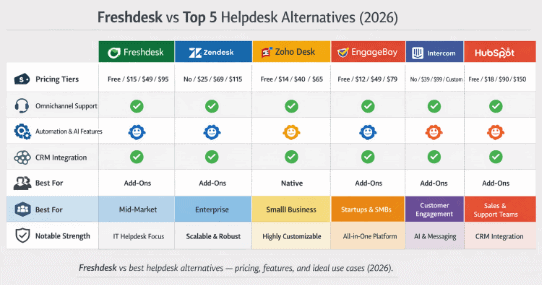
Freshdesk vs best helpdesk alternatives — pricing, features, and ideal use cases (2026).
The Top 14 Freshdesk Alternatives For Customer Support Features
If Freshdesk has given you pause, plenty of competitors offer similar services but in a more attractive package that can be easier to use and faster to load.
Let’s take a look.
| Freshdesk alternative | Starting price | Key feature | G2 rating |
| EngageBay | $12.74/month | CRM, automation | 4.6/5 |
| Zendesk | $55/agent/month | AI routing, ticketing | 4.4/5 |
| Zoho Desk | $14/month | Self-service, Zia AI | 4.5/5 |
| Help Scout | $50/user/month | Live chat, automation | 4.4/5 |
| LiveAgent | $15/agent/month | Helpdesk, ticketing | 4.5/5 |
| Front | $19/user/month | Shared inbox, omnichannel marketing | 4.4/5 |
| Intercom | $29/seat/month | AI, workflows | 4.3/5 |
| TeamSupport | $29/month | Ticket management, messaging | 4.2/5 |
| HubSpot Service Hub | $15/month | Knowledge base, ticketing | 4.5/5 |
| Kustomer | $89/user/month | CRM, self-service | 4.4/5 |
| Gorgias | $10/month | Automation, order management | 4.4/5 |
| Tidio | $29/month | Live chat, chatbots | 4.5/5 |
| Jira Service Management | $19.04/month | Incident management, automation | 4.3/5 |
| Salesforce Service Cloud | $25/month | Omnichannel, AI-powered tools | 4.4/5 |
1. EngageBay
Best as an affordable all-in-one marketing, sales, and customer support CRM
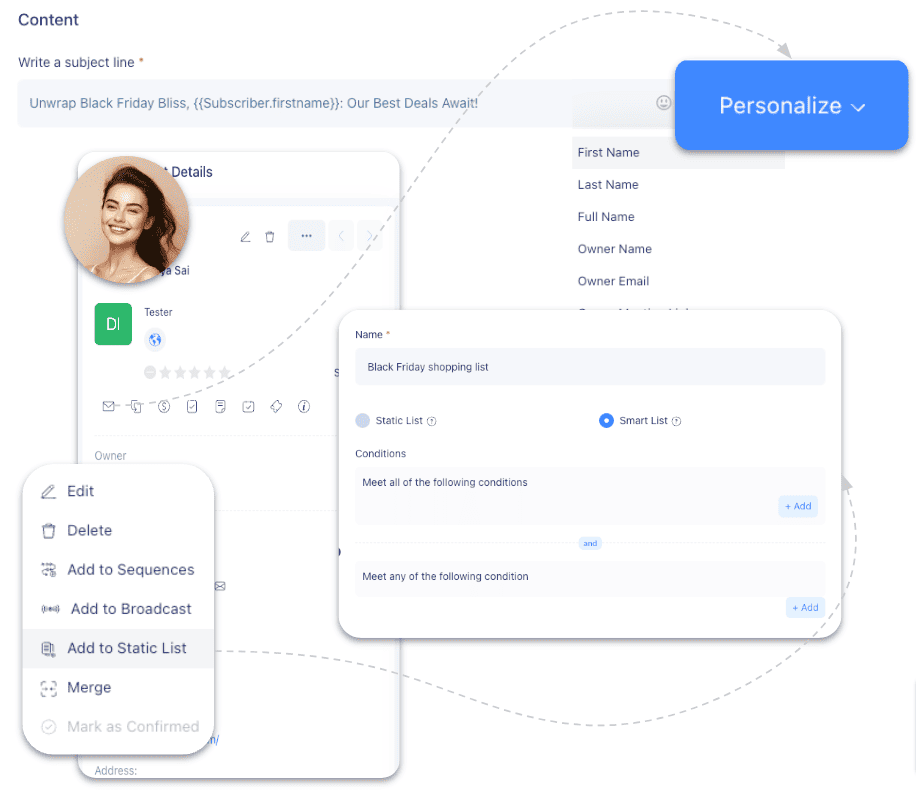
Among the top alternatives to Freshdesk is EngageBay, the all-in-one CRM software with solutions for salespeople, marketers, and customer support teams. EngageBay is designed for startups looking to grow without spending a fortune on their business growth software.
Features
EngageBay’s Service Bay has features designed to simplify the service rep’s day. Let’s review those features.
- Automation: Time is always of the essence in a service role. EngageBay’s seamless automation workflows will simplify the tasks that take up the most time, allowing service teams to redirect their attention to bigger concerns.
- CRM: EngageBay’s built-in CRM harnesses customer data and generates rich insights servicepeople can use to identify a customer’s pain points and serve them more efficiently.
- Live chat: EngageBay’s instant support, notifications, shortcuts, and customization make it easy for startups to launch their live chat service.
- Helpdesk: Review tickets within EngageBay and automate ticket management to prevent being overwhelmed with too many open tickets.
- Integrations: Connect with SendGrid, Mandrill, Shopify, Mailgun, Zapier, Xero, QuickBooks, Amazon SES, Stripe, RingCentral, Twilio, Plivo, DocuSign, and more.
Pricing
Live chat and helpdesk are completely free to use. EngageBay also offers four plans:
- Free: Includes helpdesk, live chat, autoresponders, CRM, email campaigns, and more.
- Basic: Costs $12.74/month for 500 contacts, 3,000 emails, lead scoring, canned responses, 360-degree customer view, and more.
- Growth: Costs $55.24/month for 5,000 contacts, 25,000 emails, advanced marketing automation, A/B testing, service automation, and more.
- Pro: Starts at $101.99/month for unlimited contacts and 50,000 emails, web analytics, role management, account-based marketing, APIs, and premium support.
Pros and cons
Pros:
-
Affordable all-in-one CRM plus helpdesk bundle — great for small teams and startups.
-
Free plan available with core support, chat, and ticketing features.
-
Built-in CRM provides unified customer context for service reps.
-
Easy onboarding and free migration options.
Cons:
-
Not as feature-rich as enterprise-grade helpdesk tools.
-
Advanced workflows and automation are limited compared to large competitors.
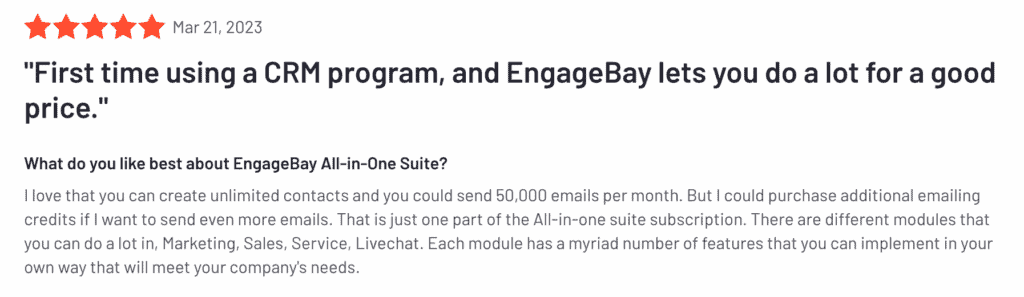
On the other hand, if you’re looking for an enterprise-grade alternative to Freshdesk, with advanced features, this may not be your best bet.
2. Zendesk
Best for large teams needing robust AI-driven ticketing
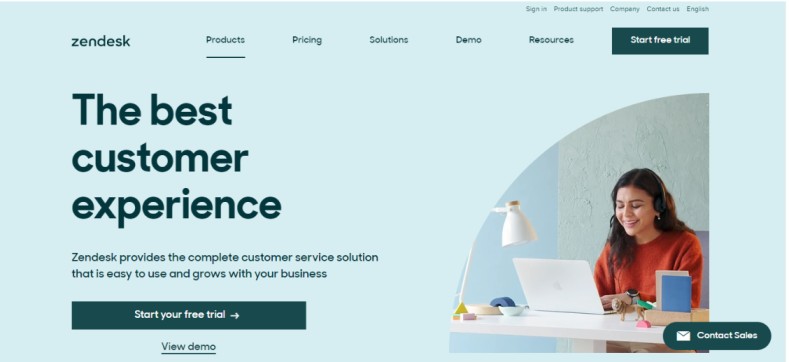
Zendesk is a service and sales software that uses AI and has separate solutions for enterprises and SMBs. You can compare Freshdesk and Zendesk to find the best fit for your business.
Features
Included in a Zendesk subscription are these features:
- Zendesk AI: The AI tool within Zendesk has routing, workflows, and support without a complex setup.
- Automation: Service teams need all the time they can get to route customers. Automation workflows bolstered by the power of AI eliminate extraneous tasks.
- Messaging: Create personalized messages that reach customers across various stages of the sales funnel using a channel of their choosing.
- Help center: Build a knowledgebase your audience can dig deep into, which will keep your service team’s phone lines less busy.
- Ticketing: Track ongoing tickets, organize them by order of priority or other criteria, and close solved tickets within Zendesk.
- Integrations: Zendesk integrates with apps like Slack, Salesforce, Tables, Exporter, PagerDuty, and Mailchimp Campaign.
Pricing
Zendesk Suite promises basic service starting at $19 a month, but its four pricing plans are costlier than that. The pricing is for annual billing.
Suite Team is $55 per agent per month. The plan includes the following:
- Five agents
- Ticketing system
- Standard bots
- Help Center
- Messaging
- Digital onboarding
- Zendesk support
Suite Growth costs $89 per agent per month and offers more features, such as:
- Live agents
- Customer satisfaction ratings
- Self-service customer portal
Zendesk says the Suite Professional plan for $115 a month is its most popular. It builds on the features above, adding:
- Side conversations
- Data location options
- Community forums
- Live analytics
The Suite Enterprise plan has custom pricing based on your needs. You can use every service above and:
- Advanced AI add-ons
- AI Content Cues
- Custom agent roles
- Sandbox
- Contextual workspaces
Pros and cons
Pros:
-
Robust ticketing and support tools with powerful routing and workflow capabilities.
-
Strong integrations with major apps and support channels.
-
Scales well for mid-size to large support teams.
Cons:
-
Higher pricing, especially for smaller teams.
-
Some users find the setup and customization complex.
3. Zoho Desk
Best for businesses emphasizing self-service and AI-driven insights
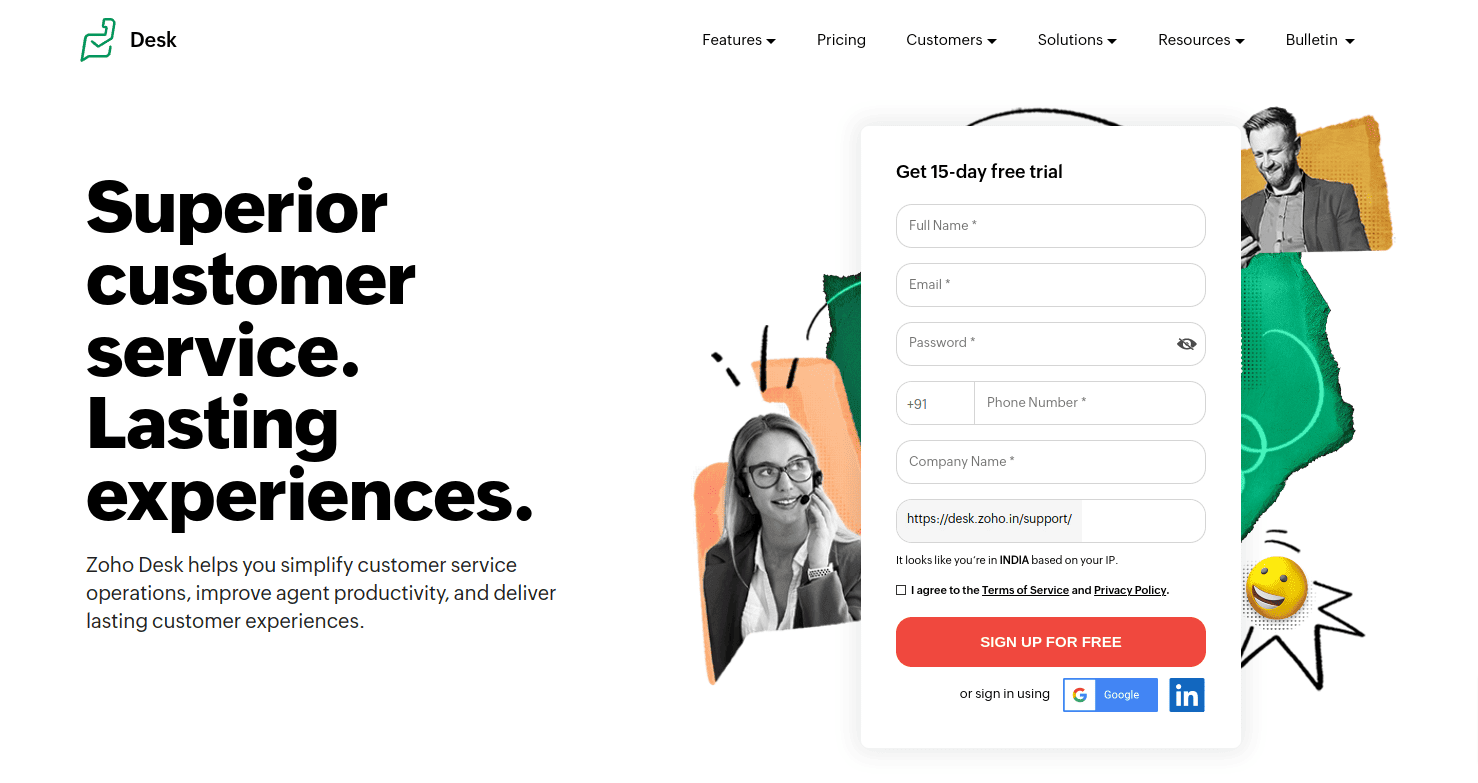
Zoho Desk is an award-winning Freshdesk alternative for startups, SMBs, and enterprises. Its solutions are tailored toward customer happiness, and the service utilizes an extensive library of integrations.
Features
Here’s an overview of Zoho Desk’s features.
- Self-service: Zoho Desk supports more reliable customer bases. You can embed self-service tools and plug-ins, develop self-service portals for various audience segments, and build a knowledge base within the software.
- Zia: The AI assistant Zia will send real-time notifications, offer reply suggestions, study sentiment analysis, and tag tickets, freeing up a serviceperson’s schedule.
- Ticketing: Zoho Desk is an omnichannel platform that can gather tickets across channels and unify them.
- Customization: Tailor Zoho Desk to your business needs, creating unique templates, layouts, and more.
- Integrations: This desk software integrates with Amazon Connect, Jive, Twilio, Slack, Exotel, RingCentral, JustCall, and Knowlarity, among others.
Pricing
Zoho Desk offers users four plans to select from. The following costs are for annual billing.
- Express: $7/month for email, social media, web forms, workflows, custom domain, and multi-level escalations
- Standard: $14/month for live chat, instant messaging, knowledge base, work modes, customer happiness ratings, and more.
- Professional: $23/month for telephony, multi-department, multilingual help center, custom actions, and webhooks.
- Enterprise: $40/month for answer bots, Zia – AI assistant, skill-based assignment, multi-level IVR, and custom modules.
Pros and cons
Pros:
-
Affordable pricing with flexible plans.
-
Built-in AI assistant and extensive self-service portals.
-
Highly customizable omni-channel ticketing.
Cons:
-
Can feel complex without proper configuration.
-
Support quality varies across regions and plans.
4. Help Scout
Best for small teams prioritizing customer-first live chat
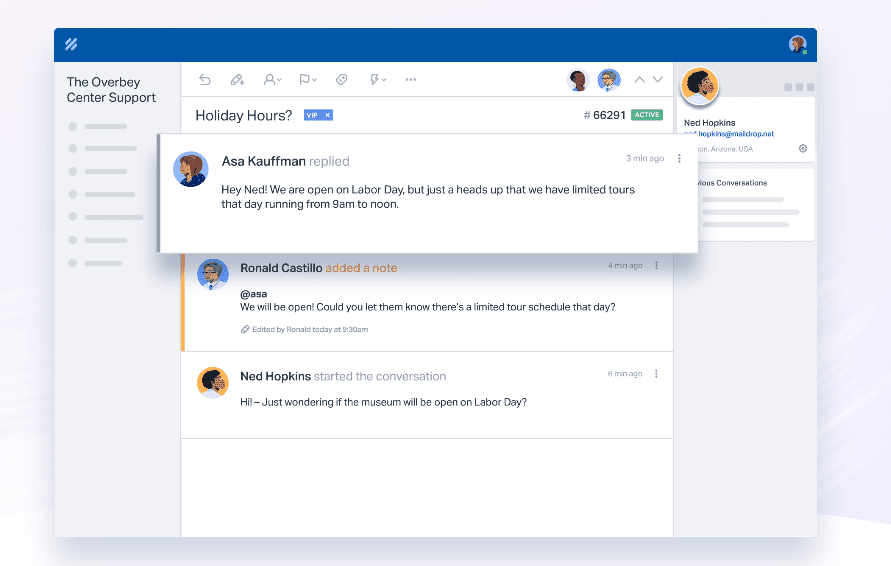
Service management through Help Scout provides a collaborative, organized, customer-first approach. The solutions are designed for businesses in the SaaS sphere to manufacturing.
Features
Here is more information on Help Scout’s features.
- Live chat: Allow customers to help themselves with instant answers, article recommendations, and chat escalation so customer service reps can handle the matter.
- Messages: The Messages platform within Help Scout engages customers and informs leads to guide them toward a purchasing decision.
- Automation: A growing company has more customer demands. Using Help Scout can reduce repetitive tasks so service teams can tackle customer concerns and questions.
- Integrations: Help Scout is integration-friendly, with options such as Jira, Salesforce, HubSpot, Mailchimp, Slack, Docs, Olark, FreshBooks, Webhooks, and more.
Pricing
Help Scout has three pricing plans available. Here is more information on each, including pricing when you choose annual billing.
The Standard plan for $50 per user per month for 100 contacts and includes what companies need to get started, such as:
- More than 50 integrations
- Automation workflows
- Chat and email
- 25 users
- Two mailboxes
The Plus plan costs $75 per user per month for 100 contacts and offers advanced collaborations and features like:
- HubSpot, Jira, and Salesforce apps
- Teams
- 25 free light users
- Five mailboxes
The Pro plan is custom-priced and includes the following:
- Account optimization reviews
- Enterprise security
- 25 mailboxes
Pros and cons
Pros:
-
Intuitive UI focused on email and live chat support.
-
Strong shared inbox and collaboration tools.
-
Affordable and easy for small teams to adopt.
Cons:
-
Some users encounter occasional interface glitches.
-
Support quality has mixed feedback.
Read also: 25+ Brilliant Small Business Tools for the Internet Champion
5. LiveAgent
Best for businesses needing smart ticketing and call center solutions
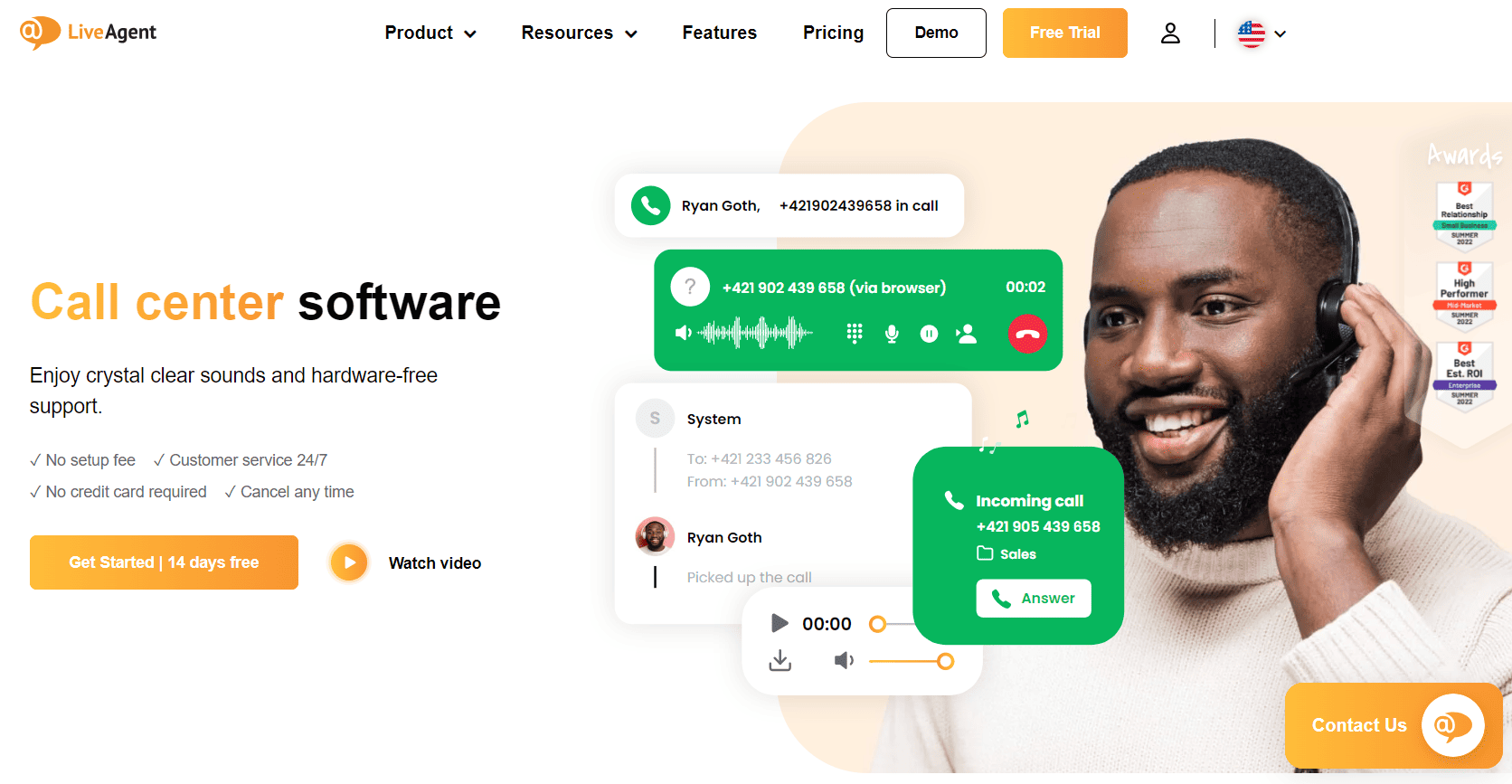
Promising 97 percent customer satisfaction, 30 percent more revenue, and 16x customer value, LiveAgent talks the talk, but does it walk the walk? It is a trusted choice of NASCAR, Airbus, and Forbes.
Features
Let’s take a quick look at LiveAgent’s features.
- Helpdesk: The assistance tools within LiveAgent’s software are designed to improve customer service rep efficiency and streamline communications.
- Ticketing: Manage tickets across departments, assign ticketing responsibilities, and automate ticket duties within the software.
- Live chat: LiveAgent created its chat software with customization options to increase customer engagement and retention.
- Call center: Use LiveAgent when calls come in. The software doesn’t require hardware and claims high-quality sound.
- Knowledge base: Generate how-to guides, FAQs, and articles to help customers find what they need easier without the need to contact customer support.
- Integrations: What tools do you already use? LiveAgent likely integrates with them, such as Voxtelesys, PortalPBX, Redvoiss, Monema, Adiptel, Linphone, and Sangoma.
Pricing
The Business pricing from LiveAgent is designed for startups like yours. You can choose from four pricing plans. Here’s more information with costs if you select annual billing.
Small Business costs $15 per agent per month and introduces these features:
- Two chat buttons
- Customer service
- 50 event rules
- One knowledge Base
- Three outgoing email accounts
- Three incoming email accounts
- 10 departments
The Medium Business plan costs $29 per agent per month and expands on the features in the Small Business plan, with:
- 30 time rules
- 150 event rules
- 20 departments
- Call center support
- Five chat buttons
- 10 outgoing email accounts
- 10 incoming email accounts
As your startup grows, try the Large Business plan for $49 per agent per month, which includes the following features:
- Custom roles
- 50 SLA rules
- 100 time rules
- 500 event rules
- Two knowledgebases
- 50 departments
- Three WhatsApp accounts
- 20 chat buttons
- 40 outgoing email accounts
- 40 incoming email accounts
The Enterprise plan is $69 per agent per month and comes packed with the following:
- Priority support
- Custom billing
- 100 SLA rules
- 200 time rules
- 1,000 event rules
- 10 knowledgebases
- 100 departments
- More than three WhatsApp accounts
- 50 chat buttons
- 100 outgoing email accounts
- 100 incoming email accounts
Free trials are available for any plan.
Pros and cons
Pros:
-
Multi-channel ticketing, live chat, and call center features in one platform.
-
Scales from small businesses to larger operations.
-
Good balance of functionality and price.
Cons:
-
Interface can feel sluggish at times.
-
Vendor support can be inconsistent for some users.
6. Front
Best for unified inbox and omnichannel communication
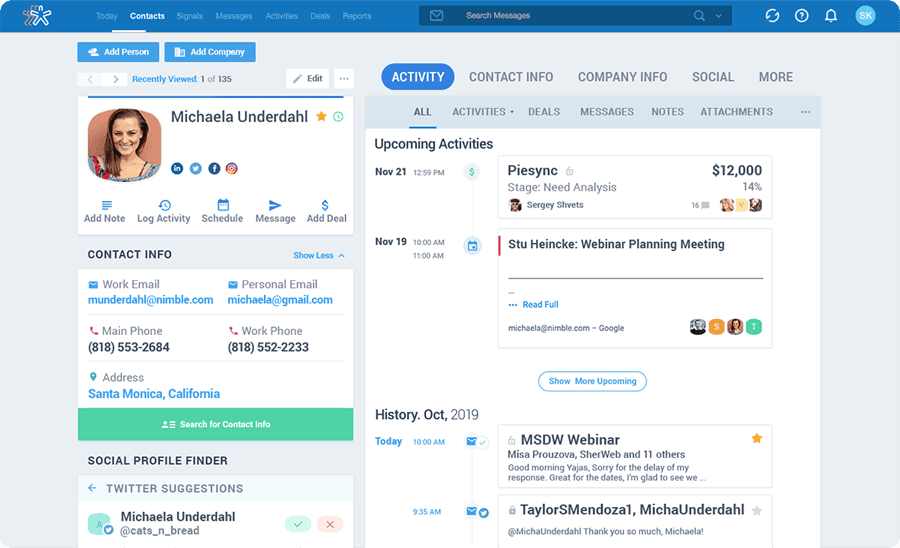
The customer operations platform Front combines email and helpdesk services with features like automation, personalization, and performance tracking to simultaneously improve team morale and customer retention.
Features
Let’s take a closer look at what Front has to offer.
- Shared inbox: Unifying an inbox among your sales and marketing teams makes tracking who’s managing which tasks and when easier. Leads can get the attention they need.
- Omnichannel communications: Interacting with leads and customers on the channels they most prefer is easy with Front, as it even has a chat function.
- Ticketing: Unsolved tickets make a customer agent’s job harder. Front uses one dashboard to address customer concerns and reduce instances of unaddressed tickets.
- Automation: Front also offers users the option to automate everyday workflows to reduce instances of extraneous tasks.
- Integrations: Use Front with customer service apps and software like ClickUp, Cordless, Asana, Aircall, Google Business Messages, Drift, Chatra, Bugpilot, and more.
Pricing
Front has separate pricing for small businesses versus other teams. The Starter plan for small businesses costs $19 per user per month with annual billing and limits you to 10 seats.
The plan includes these features:
- More integrations (although not all)
- One-click meetings
- Team collaborations
- Omnichannel messaging
Should you outgrow the Starter plan, you have more options. The Growth plan for $59 per user per month for at least five users adds more integrations and analytics.
Front’s most popular plan is the Scale plan for $99 per user per month for at least 20 users. This plan beefs up security, team management functions, and rule flexibility. The Premier plan is custom-priced and increases usage caps across the board.
You can also pay for add-ons, such as Dialpad SMS for $100 a month, Telegram for $100 a month, or Google Business Messages for $100 a month.
Pros and cons
Pros:
-
Unified shared inbox makes cross-team communication smoother.
-
Simple omnichannel capabilities with automation.
-
Works well for teams that rely heavily on email workflows.
Cons:
-
Pricing increases quickly as users and features are added.
-
Add-ons can make total cost of ownership high.
7. Intercom
Best for tech-savvy teams leveraging AI and advanced automation workflows
Why do businesses like H&R Block, Contentful, New Relic, Xero, Notion, and Microsoft use Intercom? Because this is among the Freshdesk alternatives that are AI-driven and offer advanced automation to simplify everyday customer service processes.
Features
Here is an overview of the features Intercom offers.
- AI: Fin is Intercom’s esteemed AI bot. The bot promises to resolve at least half of your ongoing support questions, freeing up customer bottlenecks and improving satisfaction.
- Automation: Intercom’s Workflows feature allows you to customize automation, setting rules, conditions, and triggers for when a workflow activates. You can even use Fin to help.
- Shared inbox: Intercom calls its inbox feature “next generation,” as it’s designed to scale as your business does and unify your teams. You can even take inbox data and incorporate it into reports.
- Business Messenger: Customize the omnichannel Messenger to suit your business needs and brand, changing it on a dime.
- Integrations: You can integrate Intercom with many software solutions, including Google Analytics, Instagram, Stripe, WhatsApp, Delighted Inc., Google Calendar, and Jira.
Pricing
Intercom has three pricing plans:
- Essential: Starts at $29/seat/month and offers shared inbox, ticketing system, macros, public help center, basic automation, Fin AI Agent and more.
- Advanced: $85/month for team inboxes,, workflows for advanced automation, proactive support, and tickets portal.
- Expert: Starts at $132/month for workload management, real-time dashboard, SSO, multibrand messengers, and more.
Pros and cons
Pros:
-
Modern interface with powerful automation and bot workflows.
-
Excellent for proactive messaging and customer engagement.
-
Strong customization and Messenger capabilities.
Cons:
-
Expensive compared to basic helpdesk tools.
-
Some users report gaps in vendor support responsiveness.
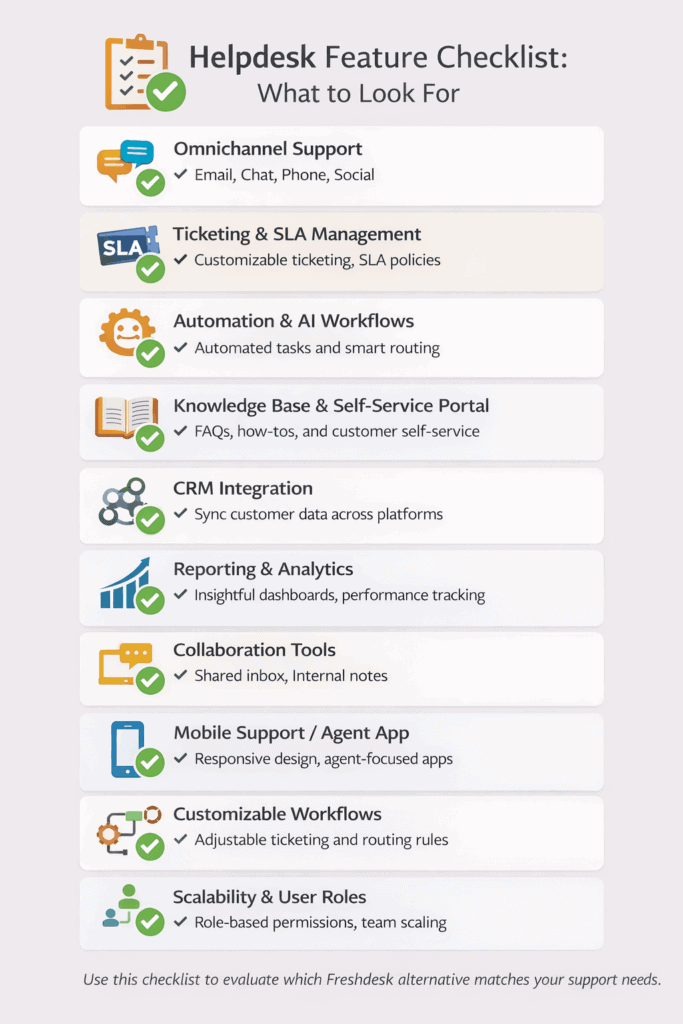
Use this checklist to evaluate which Freshdesk alternative matches your support needs.
8. TeamSupport
Best for customer sentiment analysis and ticket collaboration
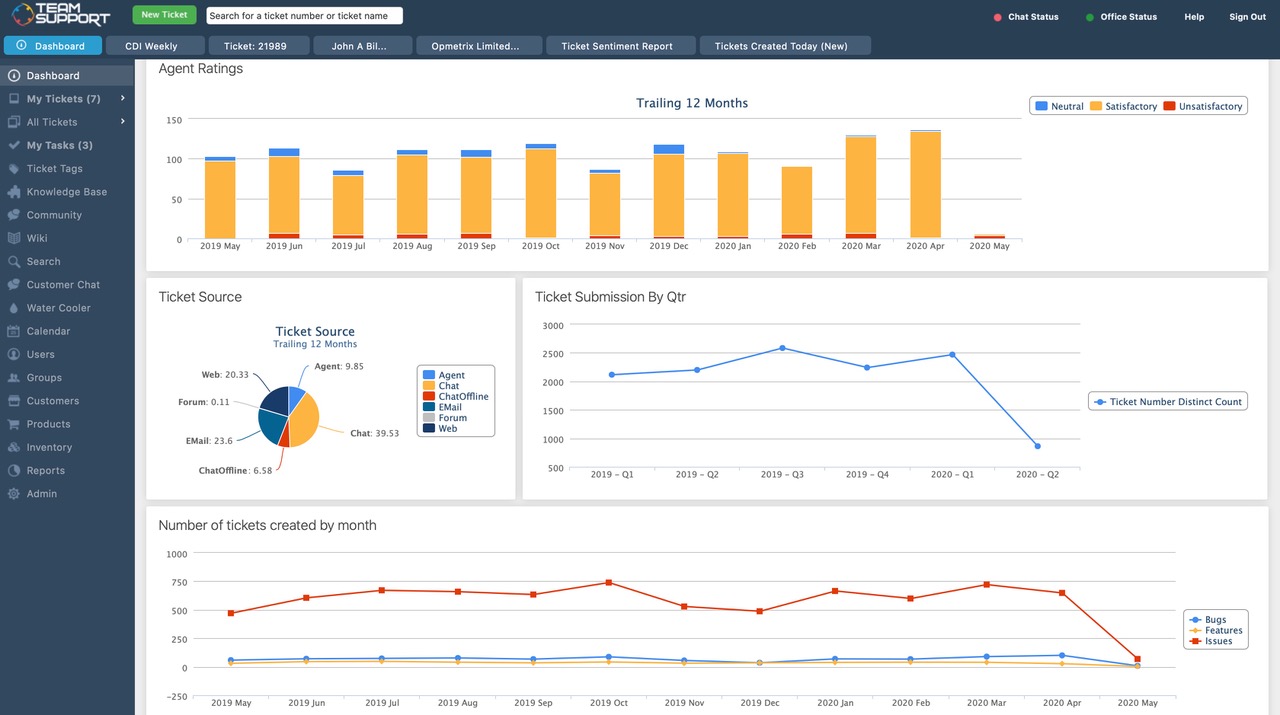
The B2B customer service software TeamSupport is an award-winning solution designed to help businesses scale. This alternative to Freshdesk can help lower your churn rates, boost customer satisfaction, and enhance revenue.
Features
What’s included in TeamSupport’s suite of customer service features? Here’s what you need to know.
- Ticket management system: The B2B-centric ticket management system offered with a subscription to TeamSupport provides customer sentiment analyses, data on customer/rep interactions, and collaboration across teams.
- Messaging: Reaching customers at a time most conducive to them works effectively with chat and messaging tools in TeamSupport. The service also offers AI chatbots to save customer service reps more time.
- Customer data: The custom reporting dashboard is rife with insights for improving team performance and serving customers.
- Integrations: TeamSupport integrates with Zapier, Microsoft Dynamics 365, HubSpot, RingCentral, Mailchimp, Salesforce, Jira, Basecamp, and more chat, messaging, and customer service apps.
Pricing
TeamSupport offers four plans:
- Chat Support: $29/month for omnichannel conversation management, advanced routing, conversation collaboration, and more.
- Essential Support: $35/month for omnichannel ticketing system, self-service support, prebuilt analytics dashboard, vore integrations, and more.
- Professional Support: $49/month for fully customized visitor experience, self-service support, CSAT surveys, and more.
- Enterprise Support: Custom-priced, offers advanced reporting, support for multiple product lines, aset and inventory management, and more.
Pros and cons
Pros:
-
Ideal for B2B support with focus on collaboration and customer sentiment.
-
Efficient ticket management and internal data sharing.
-
Good integration breadth.
Cons:
-
Mobile app experience could be stronger.
-
Fewer out-of-the-box integrations compared with larger ecosystems.
9. HubSpot Service Hub
Best for businesses looking to integrate customer service with CRM data
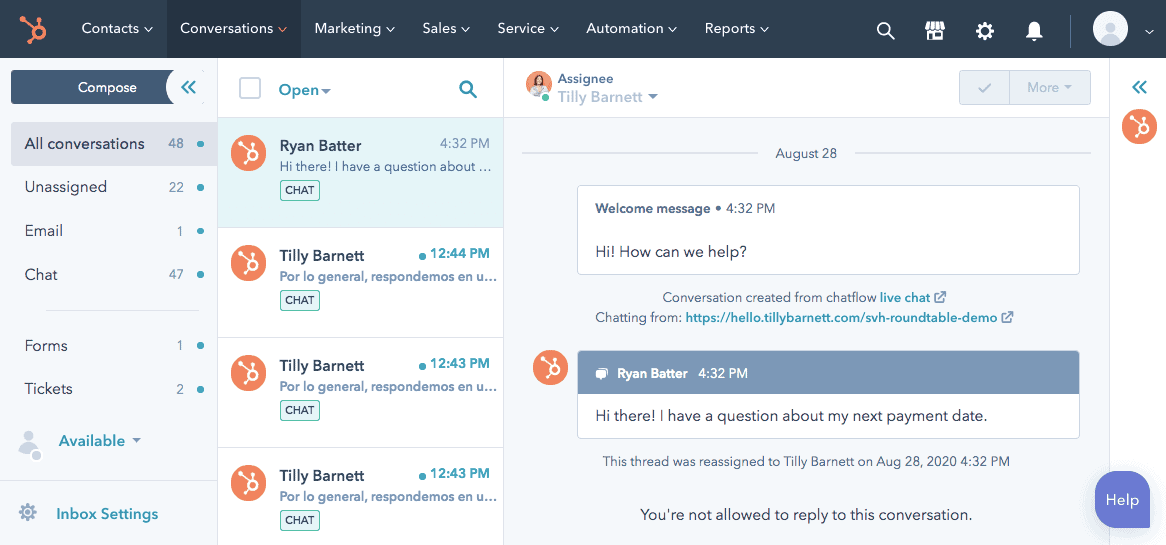
One of the better-known names in customer service, the HubSpot Service Hub works with its CRM to unify customer data and provide insights into consumer decisions and motivations. HubSpot says its software will also boost team productivity and build better customer relationships.
Features
Let’s go through the HubSpot Service Hub features.
- Customer portal: HubSpot’s customer portal tracks ongoing tickets and conversations, so support agents can see which customers need attention.
- Knowledge Base: Create a library of FAQs and articles to help your audience when they have questions. The knowledge base should reduce their reliance on your customer service reps.
- Calling: The HubSpot Service Hub includes VoIP and inbound calling to resolve matters quickly with high-quality audio.
- Live chat: Customer service reps will see chat requests as they come in and can answer questions to mitigate concerns and make customers happier.
Pricing
The HubSpot Service Hub is available at one of four pricing levels.
Free is an entirely free plan that doesn’t require a credit card. It offers basic customer service management features such as:
- Reporting dashboard
- Team email
- Ticketing
- Shared inbox
- Tickets closed reports
- Live chat
- Contact management
For $15 per month, the Starter plan includes all the Free features and:
- Multiple currency support
- Simple ticket automation
- Calling SDK
- Multiple ticket pipelines
- Conversation routing
The Professional plan for $90 a month tacks on more features still, such as everything above, plus:
- SLAs
- Logged-in visitor identification
- Knowledge base
- Customer portal
- Helpdesk automation
Companies on the verge of massive growth might consider the Enterprise plan for $150 a month. That’s the only way to use features like:
- Team management
- Single sign-on
- Goals
- Conversation intelligence
- User roles
- Playbooks
Pros and cons
-
Pros:
-
Free tier available with ticketing and shared inbox features.
-
Tight integration with HubSpot CRM and sales/marketing tools.
-
Good knowledge base and calling support.
Cons:
-
Advanced features require higher-tier plans.
-
Annual contracts and onboarding costs can add up.
-
10. Kustomer
Best for enterprises needing a customer service CRM with omnichannel tools
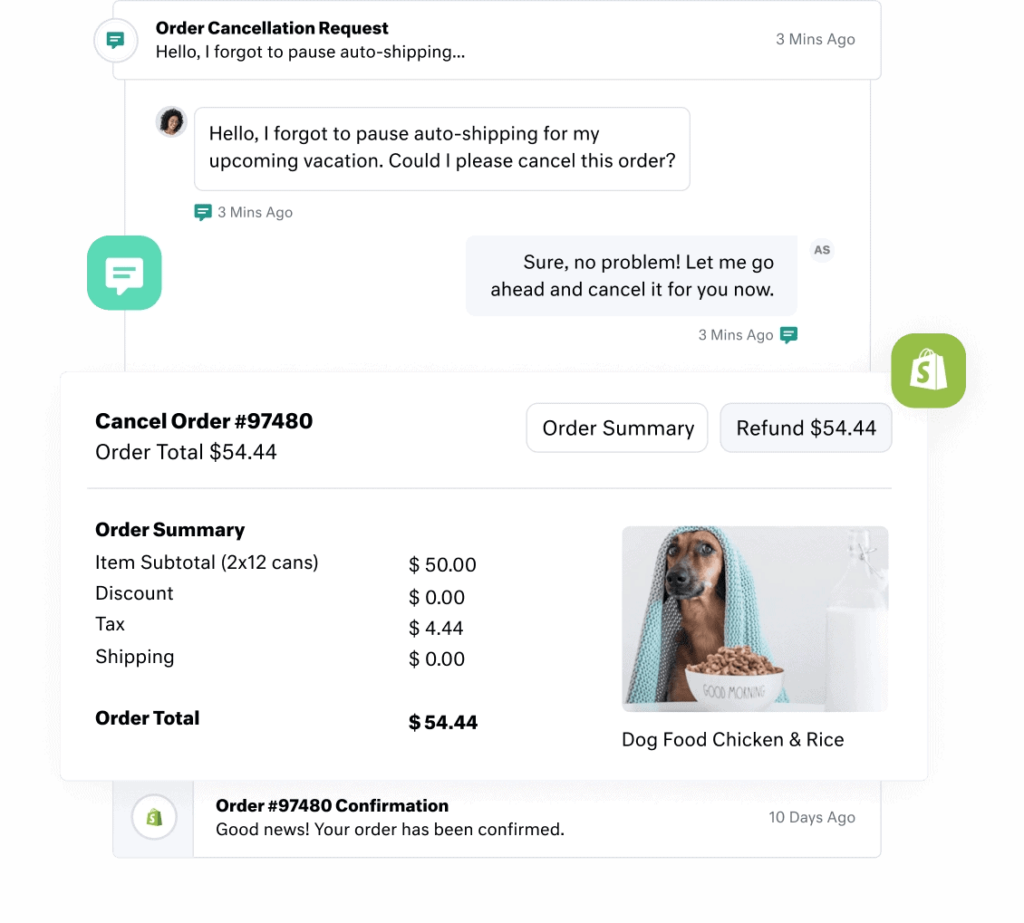
A customer service solution with a built-in CRM suite, Kustomer is the preferred choice of brands like Hopper, Ring, Skims, Glossier, and Sweetgreen. Kustomer promises to make customer service more effortless and personalized.
Features
Here are Kustomer’s biggest features.
- Customer service CRM: Kustomer’s flexible CRM links with over 60 apps. It features permission and business process automation to drive tasks forward and win back time.
- Omnichannel communications: Interact more efficiently with customers using features such as chat, SMS messaging, voice messaging, email, forms, or social messaging.
- Self-service: Let your customers become more independent with a code-free knowledge base that uses CRM data to personalize the customer experience.
- AI: Kustomer’s AI tool can detect intent, create workflows without code, and work within the CRM.
- Integrations: Link Kustomer to tools and software like Magento, BigCommerce, 8×8, Amazon Connect, Twitter, Gmail, Facebook, and more.
Pricing
Kustomer offers two pricing levels: Enterprise and Ultimate.
Enterprise is for advanced features and SLAs. It costs $89 per user per month with annual billing and provides these services:
- Conditional fields
- Multiple business hours
- Custom permission sets
- Knowledgebase customer portal
- Proactive chat
- Service-level agreements
- Custom skill routing
Ultimate for $139 per user per month is the ultimate Kustomer package, with every feature above and:
- Sandbox
- Allowable IP ranges
- Live agent auditing
- Enhanced routing
- Unlimited collaboration users
You can also pay for add-ons, with the available options being an API limit increase for $25 per user per month, SAML single sign-ons for $10 per user per month, seat licenses, and more.
Pros and cons
Pros:
-
Built-in CRM with strong omnichannel support.
-
AI tools streamline workflows without code.
-
Personalized support capabilities.
Cons:
-
Pricing is high for smaller teams.
-
Some advanced features can be tricky to use at first.
11. Gorgias
Best for eCommerce brands

Gorgias is a tool for automating and centralizing customer support, and providing faster service. The software also comes with some social media and email features.
Features
Let’s go over the customer service features within Gorgias.
- Automation rules: Gorgias’s automation add-on works according to the rules that you establish, so you can slot it easily into an existing or new workflow.
- Omnichannel communications: You can communicate with leads and customers on their preferred platforms, from WhatsApp to SMS, voice, live chat, social media, or email.
- Order management: Stay on top of Shopify orders within Gorgias, adding new orders, closing delivered ones, and canceling and refunding if necessary.
- Data and statistics: Learn more about your customers and the heartbeat of your business with satisfaction surveys, live statistics, revenue stats, and performance metrics.
- Integrations: You can integrate Gorgias with your phone, marketing, eCommerce, chat, and quality assurance tools, from Shopify to Attentive, Recharge, Hark, Sigma AI, Aircall, Instagram, and Facebook.
Pricing
Gorgias offers pricing on a sliding scale based on the number of tickets you send per month. Some plans are only available on a monthly subscription, so here’s an overview of the prices.
Starter for $10 per month limits you to three user seats, 50 tickets a month, 94 integrations, and unlimited social media channels.
Basic for $50 a month ads 500 user seats, 300 tickets, and 150 integrations. The Pro plan for $300 a month has 50 user seats and 2,000 tickets, with the option to add 100 additional tickets for $36.
For $750 a month, the Advanced plan offers 500 user seats and 5,000 billable tickets. You can add 100 more for $36.
The Enterprise plan has custom pricing.
Pros and cons
Pros:
-
Designed for ecommerce brands with order management features.
-
Supports multiple communication channels like chat, email, and social.
-
Good insights and reporting for commerce support.
Cons:
-
Pricing scales quickly with ticket volume.
-
Integrations set is narrower than some generalist tools.
12. Tidio
Best for small businesses seeking AI-driven chatbots
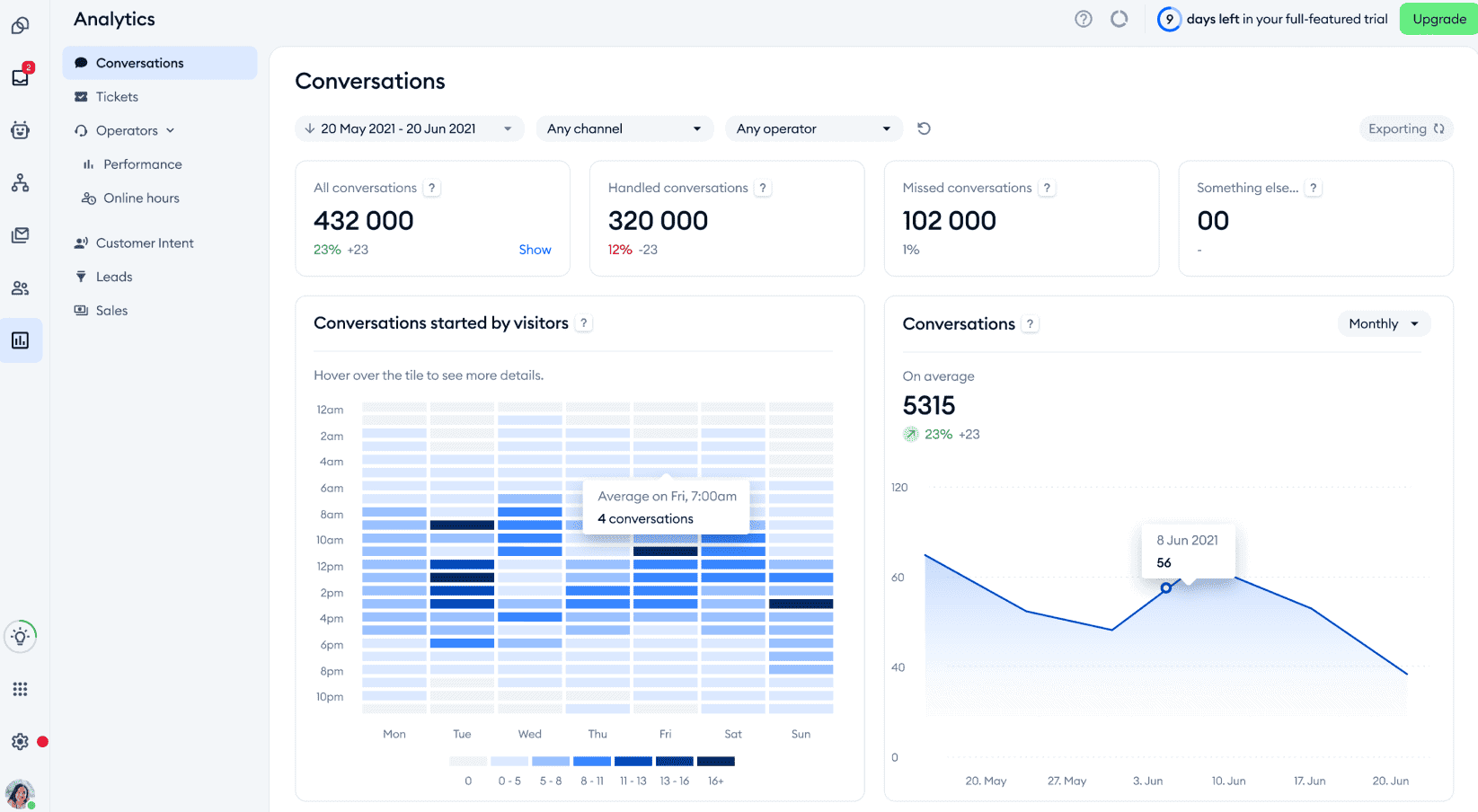
Tidio is a versatile customer service platform designed for small businesses that aims to enhance customer engagement through live chat and AI-based chatbots.
Features
- Live chat: Engage with website visitors in real-time, help them with their queries, and offer immediate assistance.
- Chatbots: Automate your responses to common queries, freeing your agents’ time for more complex tasks. With chatbots, you can offer 24/7 customer assistance.
- Multichannel support: Engage with your customers across multiple channels, including websites, Facebook Messenger, email, websites, and more from a single interface.
- Customization: Tailor your chat widgets to reflect and align with your brand aesthetics. This will improve brand recognition and customer experience.
- Integrations: Connect with popular applications to improve Tidio’s capabilities.
Pricing
Tidio offers four plans:
- Starter: Starts at $29/month for 100 conversations, basic analytics, live visitor list, live chat support, and more.
- Growth: Starts at $59/month for 250 conversations, advanced analytics, Tidio power features, permission management, and more.
- Plus: Starts at $749/month with advanced features, a dedicated success manager, custom branding, and multiple language support.
- Premium: Starts at $2,999/month for unlimited conversations and complex business tools, including admin features, monitoring, and managed services.
Pros and cons
Pros:
-
Great chat and chatbot capabilities for small businesses.
-
Real-time visitor engagement and multichannel support.
-
Simple setup and custom branding options.
Cons:
-
High-tier plans can be costly.
-
Some users report occasional performance issues.
13. Jira Service Management
Best for IT and service teams
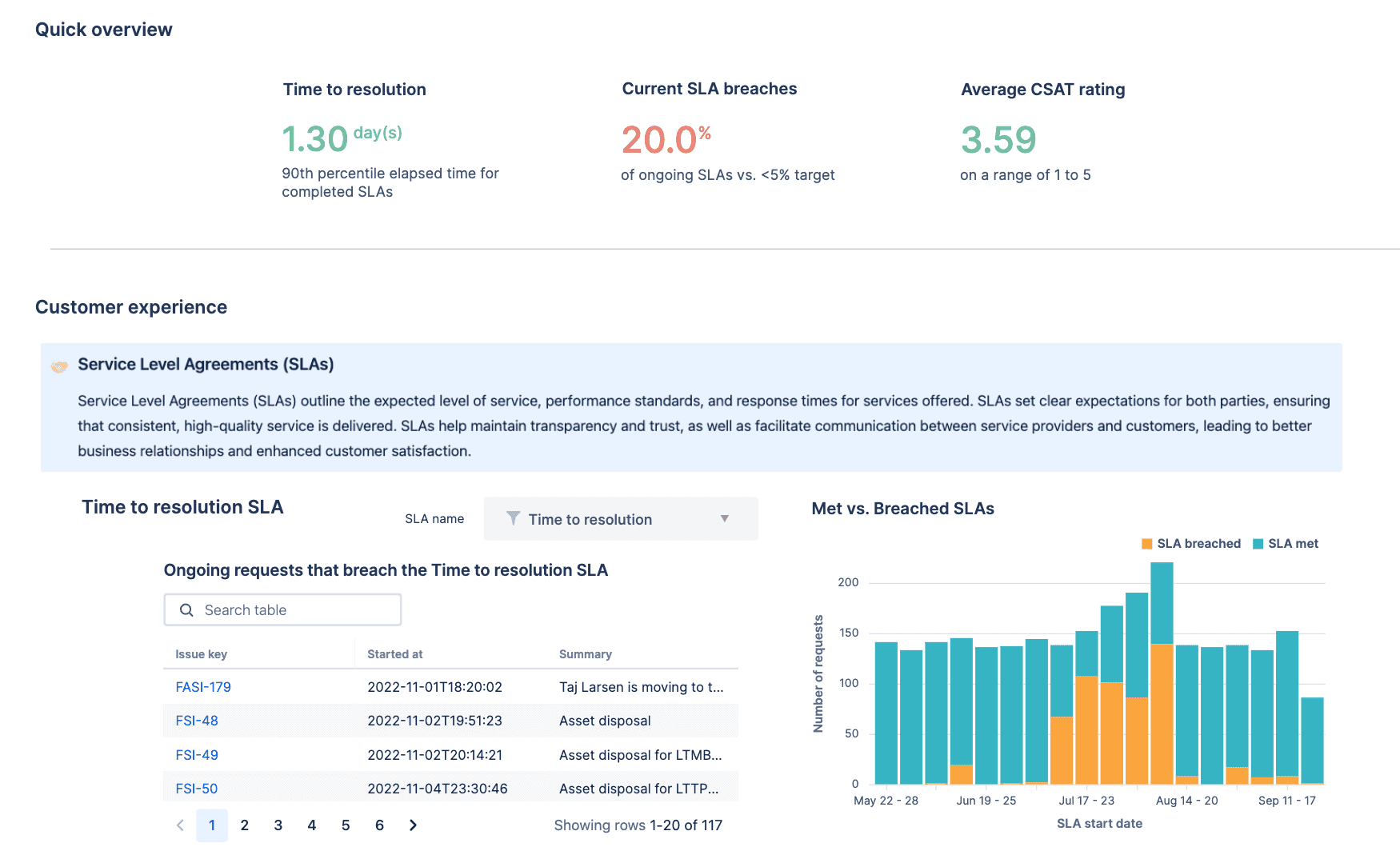
Jira Service Management is an ITSM, or IT service management solution designed to support service teams in delivering high-velocity customer service.
Features
- Incident management: Manage and resolve incidents smoothly to minimize impact on core business operations.
- Change management: Streamline change requests through automated workflows and assessments.
- Automation: Use Jira’s extensive automation capabilities to improve task efficiency and reduce manual errors.
- Knowledge base: Provide a centralized repository of information for both agents and customers, and reduce the dependence on agents for common queries.
Pricing
- Free: $0/month for templates, customer service, multichannel support, incident templates, and more.
- Standard: $19.04/month for a custom-branded help center, unlimited email notifications, audit logs, and more.
- Premium: $47.82/month for AI-powered services and operations, virtual service agents, change management, incident management, and more.
- Enterprise: Custom-pricing for advanced analytics, scalability, and security for enterprises.
Pros and cons
Pros:
-
Excellent for IT and technical support teams with incident/change management.
-
Deep automation and customizable workflows.
-
Strong integration with Atlassian tool stack.
Cons:
-
Steep learning curve for teams unfamiliar with Jira.
-
Not ideal as a pure customer helpdesk — more ITSM oriented.
14. Salesforce Service Cloud
Best for enterprises needing personalized omnichannel support at scale
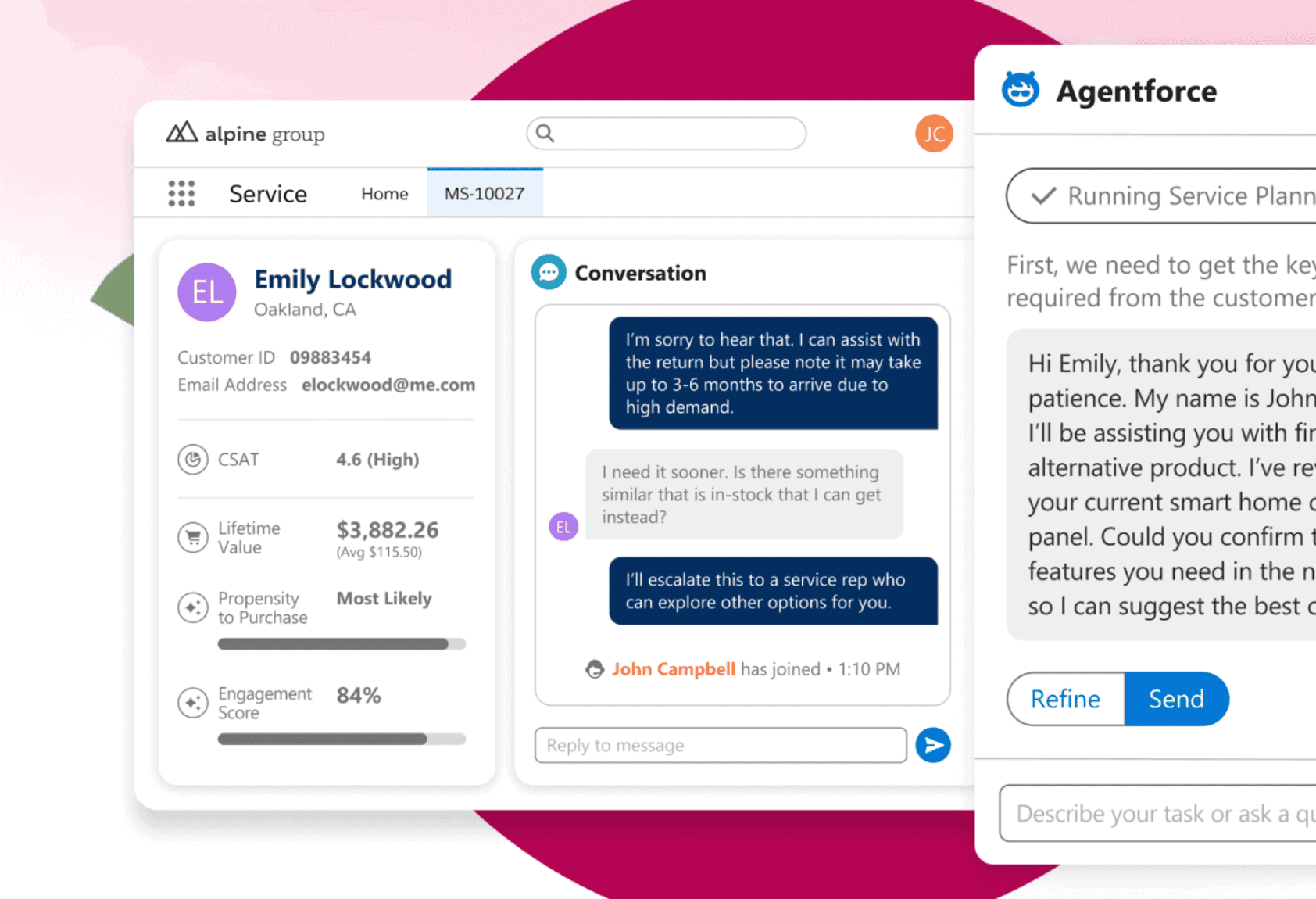
Salesforce Service Cloud enables businesses to deliver personalized support across multiple channels. You also gain access to the Salesforce ecosystem.
Features
- Omnichannel support: Engage with customers across multiple channels, including live chat, social media, email, and phone.
- Knowledge base: Provide your customers with a repository of information so that they can resolve simple queries on their own, thus freeing up agents’ time for more complex issues.
- AI-powered features: Utilize AI-based tools to automate tasks and obtain predictive insights.
- Integrations: Connect with your favorite third-party tools and Salesforce products to enhance the platform’s functionality.
Pricing
Salesforce Service Cloud has four pricing plans:
- Starter Suite: Starts at $25/month for dynamic email marketing and analytics, sales processes, customer service, and more.
- Pro Suite: Starts at $100/month for better customization and automation features, sales quoting, forecasting, and enhanced, real-time chat.
- Enterprise: Starts at $165/month for workflow automation, self-service help center, and AI for customer service.
- Unlimited: Starts at $330/month for AI-powered chatbots and premium support.
Pros and cons
Pros:
-
Powerful omnichannel support with deep customization.
-
Seamless integration with the wider Salesforce ecosystem.
-
Scales exceptionally for large enterprise support operations.
Cons:
-
High cost, especially for smaller teams.
-
Complexity often requires dedicated admins and paid training.
Wrap Up
That brings us to the end.
The Freshdesk alternatives we looked at make fantastic solutions, but EngageBay has some unique advantages over the rest. You don’t have to stress about hidden fees, expensive pricing, and paying for solutions that a small business doesn’t need.
Top Freshdesk alternatives include EngageBay, Zendesk, Zoho Desk, Help Scout, LiveAgent, Intercom, HubSpot Service Hub, TeamSupport, Kustomer, Gorgias, Tidio, Jira Service Management, and Salesforce Service Cloud.
Affordable alternatives like EngageBay, Zoho Desk, Help Scout, and Tidio deliver key helpdesk features with easier setup and pricing that suits small teams.
Yes—EngageBay and Zoho Desk offer free plans with ticketing and basic support features that are ideal for growing support teams without upfront costs.
Evaluate based on support channels (email, chat, phone), automation needs, CRM integrations, scalability, and total cost to find the helpdesk that matches your workflow.
Most modern helpdesk platforms like Zendesk, HubSpot Service Hub, and Zoho Desk offer deep CRM and third-party integrations, helping teams unify support data with sales and marketing systems.

