
For nearly every marketer or business owner, inbound marketing and all-in-one CRM bring one name to mind.
HubSpot.
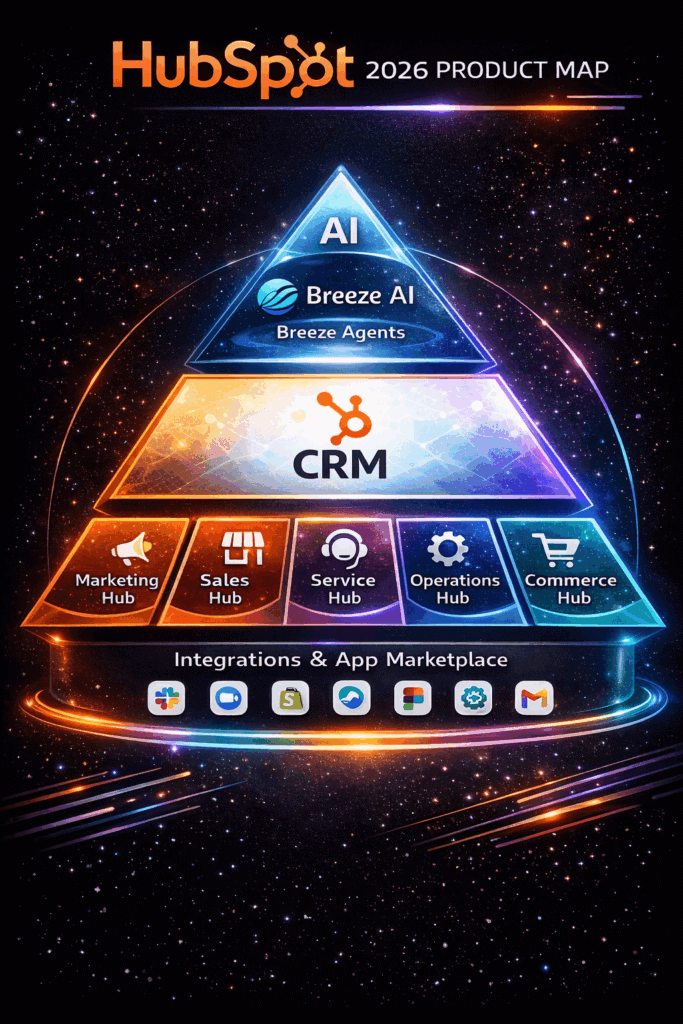
HubSpot in 2026 is a leading AI-powered Smart CRM and customer platform that unifies marketing, sales, service, content, commerce, and operations — helping businesses automate pipelines, nurture leads, and personalize customer journeys all in one place.
Having these tools in one place is a win because you get to skip the trouble of juggling from one software to another.
The best part is that, like many CRM software, HubSpot has free plans you can explore before you opt for a paid plan.
For some businesses, the HubSpot CRM platform is a good starting point to streamline marketing and sales-related processes.
But is HubSpot really the best CRM software for you as an SMB owner (even with its free plan)?
Not quite.
Several factors make HubSpot CRM a less ideal choice for small and mid-size businesses.
These factors range from limited functionality to hefty pricing plans and more which we will cover in this guide.
Here is exactly what you’ll be learning today about the HubSpot CRM:
- What is HubSpot?
- Is HubSpot CRM Free to Use?
- Why is HubSpot expensive?
- Is HubSpot Worth the Money For Small Businesses?
- What is a Great HubSpot Alternative for SMBs?
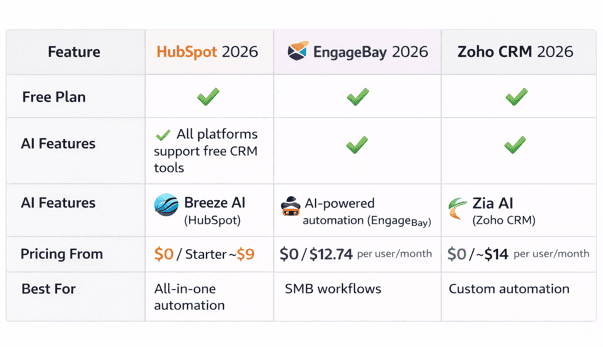
Before we dive deeper, here’s a quick 2026 snapshot of how HubSpot compares with two popular CRM alternatives—EngageBay and Zoho CRM.
2026 Updated Pricing Comparison
Even though HubSpot offers a powerful and mature CRM ecosystem, pricing behavior and scale economics vary significantly across platforms.
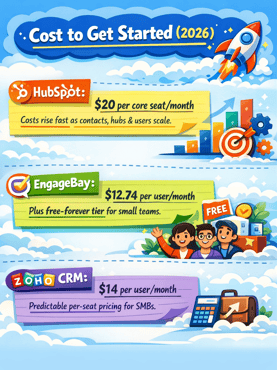
Cost to Get Started (2026)
-
HubSpot:
HubSpot’s Starter Customer Platform typically starts around $20 per core seat/month, but total costs increase quickly as contacts, hubs, and users scale—especially once marketing features are added. -
EngageBay:
EngageBay continues to offer one of the lowest entry points in the market, with its Basic plan starting at $12.74 per user/month, plus a free-forever tier for small teams. -
Zoho CRM:
Zoho’s Standard plan starts at approximately $14 per user/month, maintaining a predictable per-seat pricing model attractive to SMBs.
Automation Unlock Point
-
HubSpot:
Advanced workflow automation, predictive tools, and AI-assisted processes are largely gated behind Professional tiers, which typically begin around $800–$900/month across hubs. -
EngageBay:
Multi-channel automation becomes available at the Growth plan ($55.24 per user/month), with basic automation triggers available even on the Free plan. -
Zoho CRM:
Zoho introduces advanced automation features (Blueprints, orchestration) at the Professional tier (~$23 per user/month)—one of the lowest automation entry points in the market.
Hidden Fees & Branding Considerations
-
HubSpot:
HubSpot often requires mandatory onboarding fees (commonly ranging from $1,500 to $7,000+) for Professional and Enterprise plans. Free tools also retain HubSpot branding. -
EngageBay & Zoho CRM:
Neither platform enforces mandatory onboarding fees, and branding is removed once you move to a paid plan, keeping total ownership costs more predictable.
Free-Tier User Limits
-
HubSpot Free: Limited to 2 users
-
Zoho CRM Free: Supports up to 3 users
-
EngageBay Free: Allows up to 15 users, making it notably flexible for lean or cross-functional teams
Best-Fit Snapshot (2026)
-
HubSpot → Best suited for mid-market to enterprise teams heavily invested in inbound marketing, with budgets that can absorb contact-based and hub-based pricing.
-
EngageBay → A strong all-in-one sales, marketing, and support platform for startups and SMBs seeking predictable pricing
(Basic: $12.74 | Growth: $55.24 | Pro: $101.99) -
Zoho CRM → Ideal for cost-conscious growing businesses that value customization and per-user pricing over bundled marketing depth.
Now let’s get to the details.
Table of Contents
What Is HubSpot CRM and Why It Matters
HubSpot is a cloud-based CRM that rolls marketing, sales, service, content‑management, and operations tools into a single workspace.
Instead of toggling between disparate apps, teams get a unified dashboard for capturing and nurturing leads, automating follow‑ups, tracking deals, and publishing inbound content—all under one roof.
Why does that matter? Because centralization fuels better data visibility and faster revenue cycles.
With customer emails, chat transcripts, deal stages, and analytics living in one ecosystem, reps can deliver timelier, more personalized outreach.
Marketers, meanwhile, can build end‑to‑end campaigns—from blog post to closed‑won—without exporting lists or stitching reports together.
The result is higher productivity, smoother hand‑offs, and a clearer picture of ROI at every touchpoint.
That said, while the free version lets you test up to 23 core features, many advanced functions—like custom reporting, sophisticated automation, and premium support—sit behind steeper paid tiers.
So before committing, SMBs should weigh HubSpot’s comprehensive toolkit against their budget and growth roadmap.
Still, when businesses ask “What is HubSpot”, the short answer is: a powerhouse CRM that unifies your customer journey and scales your inbound strategy—provided the price fits your plan.
Is HubSpot CRM Free to Use?
Uhmmm…this question is a tough nut to crack. And a single-word answer wouldn’t do it justice.
Let’s walk through HubSpot’s free plans to help you get the full picture.
HubSpot’s free CRM software allows you to use up to 23 free features such as ad management, email marketing, list segmentation, contact management, ticketing, deal pipeline, and app marketplace integrations.
The functionality of HubSpot can be further extended through its rich ecosystem of HubSpot-certified apps, such as SuperJoin (a HubSpot and Google Sheets integration app), which further enhances its capabilities.
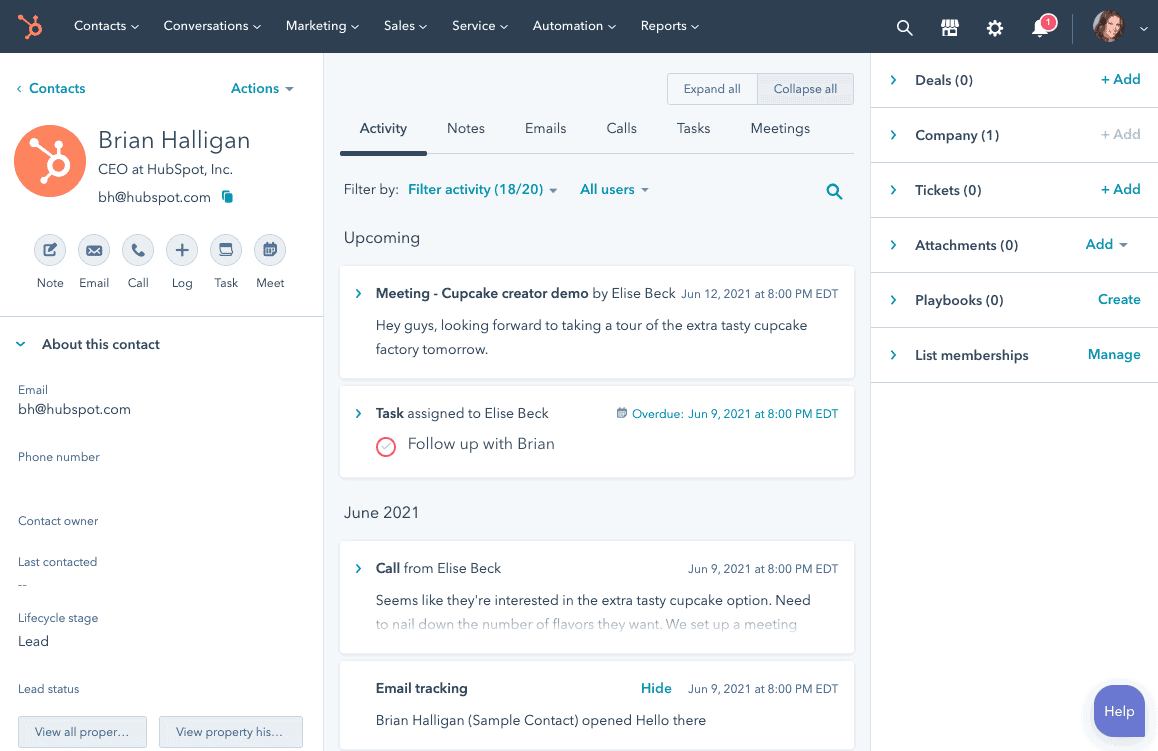
On its standalone solutions such as the HubSpot all‑in‑one marketing hub, you also have access to any of these free features relevant to each hub.
But that’s where the good news ends.
While these features are free, they have considerable limitations.
An example is HubSpot’s built-in reporting—a critical tool for every business.
On the free plan, you only have access to basic analytics. With insufficient data, optimizing your processes and scaling your business becomes an uphill battle.
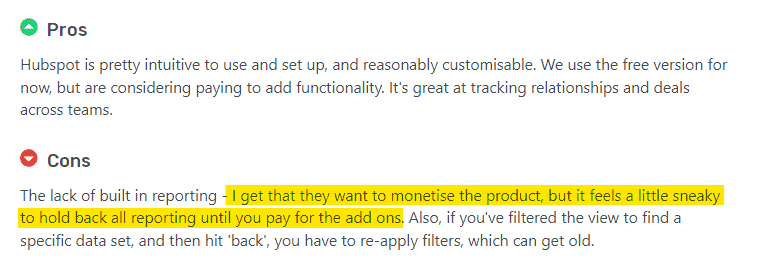
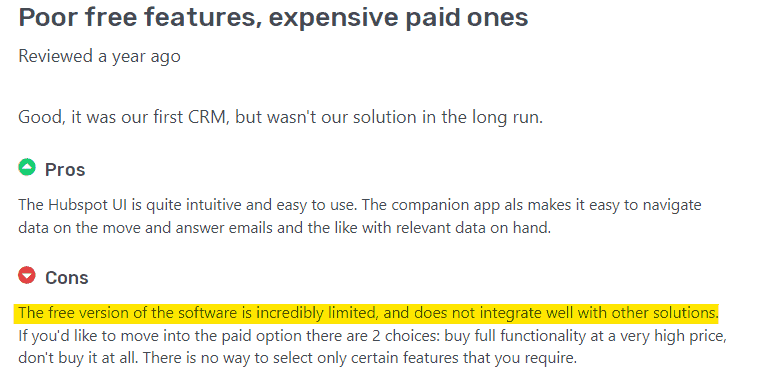
So even though you might start out free, you need to upgrade to a paid plan for better functionality of these essential features.
Read also: Is HubSpot CRM Truly Free? An Unbiased Guide (with User Reviews)
Modern HubSpot Features Powered by AI (2026 Update)
HubSpot has steadily evolved from a traditional CRM into an AI-assisted revenue platform.
In 2026, many of its core capabilities are now augmented with AI to reduce manual work, improve decision-making, and personalize customer experiences at scale.
Key AI-powered features include:
-
Breeze AI Agents for Automated Workflows
HubSpot’s Breeze AI agents help automate routine CRM workflows such as task assignment, follow-ups, pipeline updates, and content generation—reducing operational overhead for sales and marketing teams. -
Predictive Lead Scoring & AI-Assisted Sales Insights
AI models analyze historical deal data, engagement signals, and behavioral patterns to predict which leads are most likely to convert—helping sales teams prioritize high-intent prospects more effectively. -
AI-Driven Customer Segmentation & Personalization
HubSpot uses AI to dynamically segment contacts based on behavior, lifecycle stage, and engagement patterns, enabling more personalized email campaigns, on-site experiences, and sales outreach. -
AI Content Generation for Marketing & Sales Teams
Built-in AI tools assist with generating email copy, landing page content, ad variations, and blog drafts—speeding up campaign execution while maintaining brand consistency. -
Conversation Intelligence & AI Email Insights
AI analyzes emails, chats, and sales conversations to surface intent signals, suggest responses, and identify deal risks or opportunities earlier in the funnel. -
Predictive Reporting & Forecasting
AI-assisted analytics help teams forecast revenue, spot pipeline bottlenecks, and identify performance trends without deep manual analysis.
These AI features are designed to enhance productivity rather than replace human decision-making—making HubSpot more accessible to SMBs while still supporting complex enterprise workflows.
HubSpot Paid Plans
HubSpot’s paid offerings are structured around two corew models: individual hubs (Sales, Marketing, Service, CMS, Operations) and the bundled Customer Platform (often referred to as the all-in-one CRM suite).
The all-in-one Customer Platform bundles multiple hubs into a single subscription, but costs scale quickly as you unlock advanced automation, AI features, and higher usage limits.
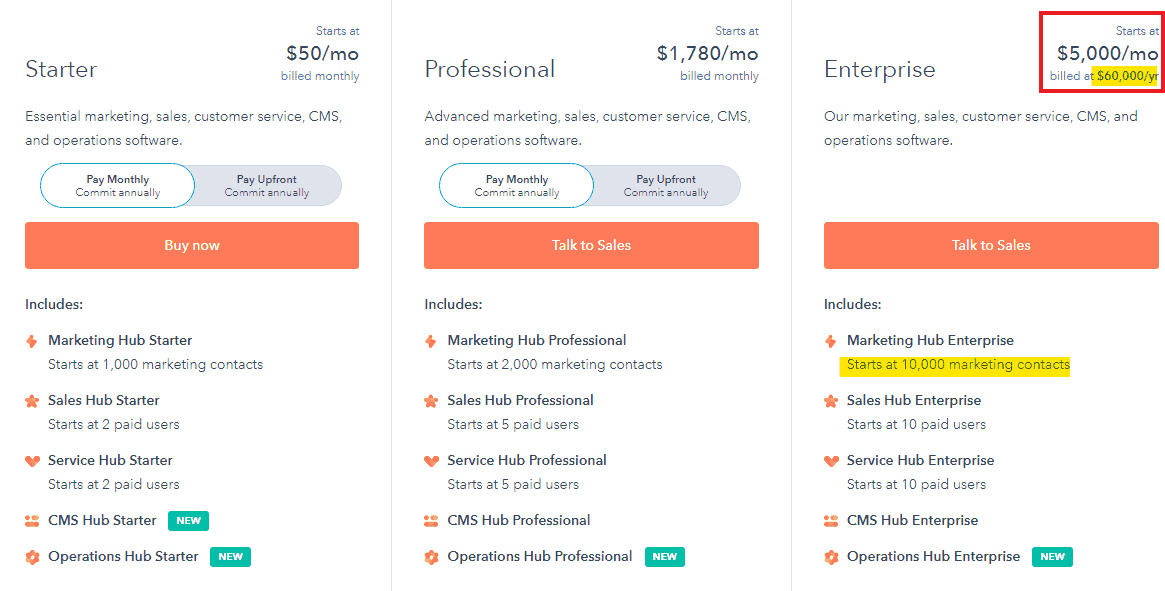
In 2026, moving from HubSpot’s free tools to a Professional-level Customer Platform setup can easily exceed $4,000–$5,000 per month, depending on the number of hubs, seats, and contacts.
That puts the annual spend north of $50,000–$60,000, before accounting for add-ons, additional contacts, or mandatory onboarding fees that often apply to higher-tier plans.
For many small and mid-sized businesses, a $60,000+ annual CRM commitment isn’t a minor upgrade—it’s a major operational investment that needs to be justified by scale, complexity, and long-term growth plans.
How about you opt for a single hub? Well, you’ll pay a lower but still substantial amount.
A hub is a system within a CRM suite that caters to specific processes.
These systems can function independently of others. For example, EngageBay’s Marketing Bay, CRM & Sales Bay, and Service Bay are equivalents of hubs.
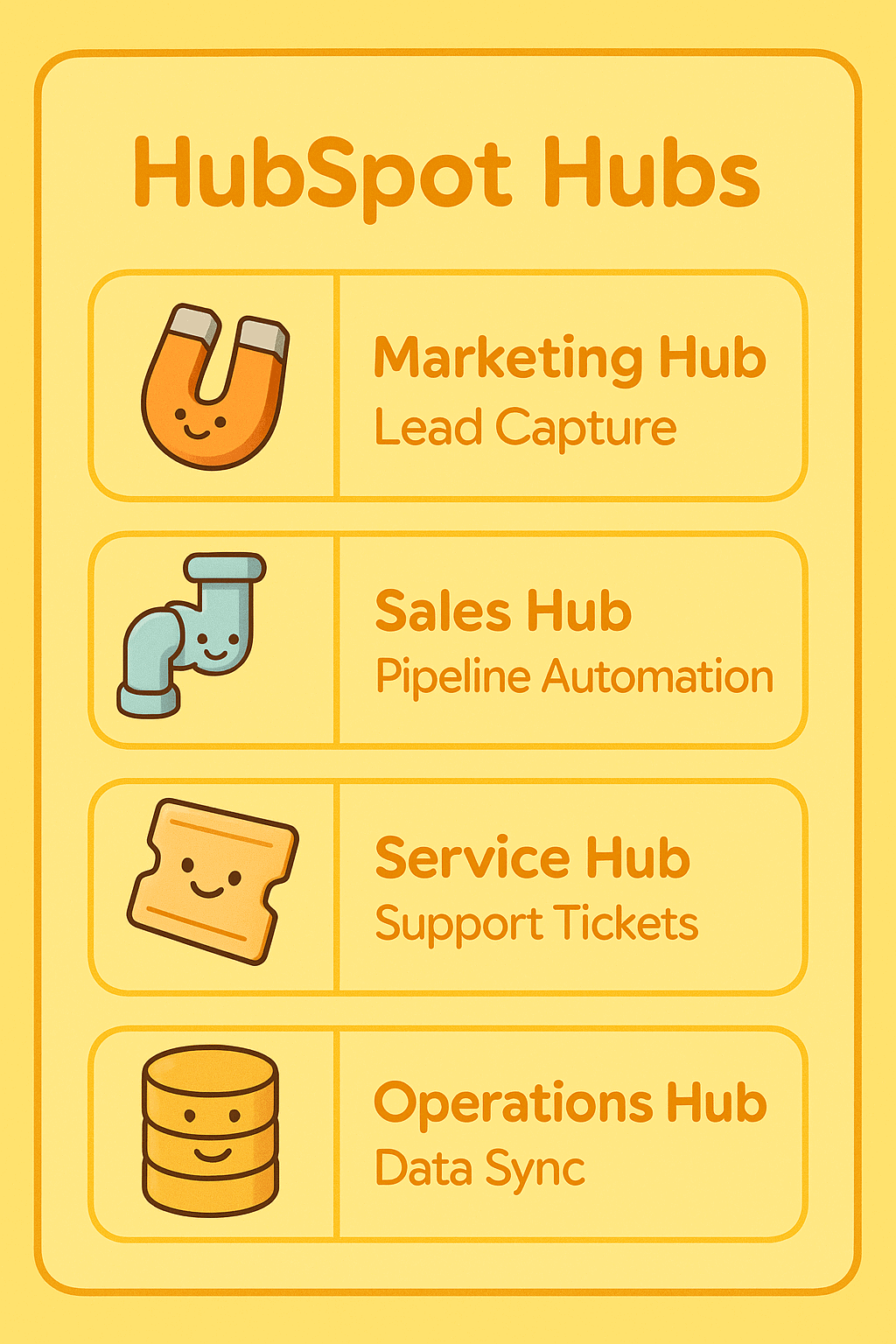
There are 5 hubs within HubSpot’s CRM suite. Let’s briefly look at each one, its pricing plan, and its functionalities.
HubSpot Marketing Hub
The HubSpot all‑in‑one marketing software provides marketing tools businesses need to attract visitors, convert leads, and generate reports.
Notable features in HubSpot’s marketing hub include tools for content creation, SEO, ads management, social media management, landing page builder, marketing automation, multi-touch revenue attribution, and reporting & analytics.
HubSpot Marketing Hub Pricing
HubSpot Marketing Hub is available across three paid tiers—Starter, Professional, and Enterprise—with pricing primarily driven by marketing contacts, feature access, and required onboarding at higher tiers.
Marketing Hub Starter (2026)
Marketing Hub Starter typically starts around $20–$50 per month, depending on how it’s bundled, and includes approximately 1,000 marketing contacts. This tier unlocks basic email marketing, forms, and reporting beyond the free tools, but remains limited in automation and customization.
Best for: Solopreneurs and very small teams running simple campaigns.
Marketing Hub Professional (2026)
Marketing Hub Professional is where advanced automation and AI-assisted marketing features begin. Pricing generally starts around $800–$900 per month, including ~2,000 marketing contacts, with costs increasing as contact volume scales.
This tier includes everything in Starter, plus:
-
Advanced workflows and automation
-
Campaign management
-
Deeper reporting and attribution
-
AI-powered content and optimization tools
A mandatory one-time onboarding fee, typically around $3,000, is usually required.
Estimated annual cost:
-
Subscription: ~$10,000–$11,000/year
-
Onboarding (one-time): ~$3,000
Total first-year spend: $13,000–$14,000+, excluding additional contacts.
Marketing Hub Enterprise (2026)
Marketing Hub Enterprise is built for large, distributed teams and complex marketing operations.
Pricing typically starts around $3,200–$3,600 per month when billed annually, with ~10,000 marketing contacts included and support for up to 300 teams.
In addition to Professional features, Enterprise adds:
-
Advanced permissions and governance
-
Custom objects and reporting
-
Predictive lead scoring and AI insights
-
Higher scalability and compliance controls
A mandatory onboarding fee, often around $6,000, applies at this level.
Estimated annual cost:
-
Subscription: ~$38,000–$43,000/year
-
Onboarding (one-time): ~$6,000
Total first-year spend: $44,000–$49,000+, before add-ons or contact overages.
Why this matters for 2026 buyers
While HubSpot’s Marketing Hub is powerful, costs increase rapidly as teams grow, automation needs expand, or contact databases scale.
For SMBs, the jump from Starter to Professional isn’t incremental—it’s a step-change in annual spend that should be evaluated carefully against expected ROI.
HubSpot Sales Hub
The sales hub allows sales teams to track leads and prospects, optimize sales processes, and close more deals.
Popular features include email templates & tracking, conversation intelligence, live chat, pipeline management tool, sales automation, sales analytics & reporting dashboards.
HubSpot Sales Hub Pricing
HubSpot Sales Hub is offered across three tiers—Starter, Professional, and Enterprise—with pricing primarily influenced by paid seats, automation access, and required onboarding at higher levels.
Sales Hub Starter (2026)
Sales Hub Starter typically begins around $20–$50 per month, depending on bundling, and includes up to 2 paid sales users.
This tier removes many limitations of the free CRM and unlocks basic sales tools such as email tracking, meeting scheduling, and simple reporting.
Best for: Very small sales teams running lightweight pipelines without automation needs.
Sales Hub Professional (2026)
Sales Hub Professional is where automation, forecasting, and advanced sales workflows become available.
Pricing generally starts around $500–$600 per month, which includes approximately 5 paid users, with additional seats available at extra cost.
This tier includes:
-
Sales automation and workflows
-
Advanced reporting and analytics
-
Deal and pipeline personalization
-
CPQ (quotes, pricing, and product libraries)
-
AI-assisted sales insights and forecasting
-
Priority technical support
A mandatory one-time onboarding fee, typically around $375, is commonly required.
Estimated annual cost:
-
Subscription: ~$6,000–$7,200/year
-
Onboarding (one-time): ~$375
Total first-year spend: $6,400–$7,600+, excluding additional users.
Sales Hub Enterprise (2026)
Sales Hub Enterprise is designed for larger sales organizations that require advanced governance and customization.
Pricing typically starts around $1,200–$1,500 per month when billed annually, with around 10 paid users included.
In addition to Professional features, Enterprise adds:
-
Advanced permissions and team partitioning
-
Custom objects and extensibility
-
Predictive lead scoring and AI-driven insights
-
Enhanced reporting and compliance controls
A mandatory onboarding fee, often around $3,000, applies at this tier.
Estimated annual cost:
-
Subscription: ~$14,000–$18,000/year
-
Onboarding (one-time): ~$3,000
Total first-year spend: $17,000–$21,000+, before adding extra seats or hubs.
Why this matters in 2026
While HubSpot Sales Hub scales well for growing teams, costs rise quickly as automation, AI features, and user counts increase.
The jump from Starter to Professional—and again to Enterprise—represents a significant increase in annual CRM spend, especially for SMBs evaluating long-term ROI.
HubSpot Customer Service Hub
HubSpot Service Hub is built for customer support and success teams and includes tools for omnichannel communication, ticketing, automation, self-service, and AI-assisted support workflows.
Core features include shared inboxes, live chat and chatbots, automation, knowledge bases, reporting, and customer portals.
Service Hub Starter (2026)
Service Hub Starter typically starts around $20–$50 per month, depending on how it’s bundled, and expands on HubSpot’s free service tools. This tier unlocks essential support capabilities such as:
-
Shared inbox and ticketing
-
Live chat and basic conversational bots
-
Email templates and canned snippets
-
Calling features and basic ticket automation
Best for: Small teams handling low to moderate support volume without advanced automation needs.
Service Hub Professional (2026)
Service Hub Professional introduces advanced automation, analytics, and self-service tools.
Pricing generally starts around $450–$500 per month, with costs increasing as features and usage scale.
This tier includes everything in Starter, plus:
-
Help desk workflows and advanced automation
-
Knowledge base and customer self-service portal
-
Customer experience and service analytics
-
AI-assisted ticket routing and insights
A mandatory one-time onboarding fee, typically around $375, is commonly required.
Estimated annual cost:
-
Subscription: ~$5,400–$6,000/year
-
Onboarding (one-time): ~$375
Total first-year spend: $5,800–$6,400+, excluding add-ons.
Service Hub Enterprise (2026)
Service Hub Enterprise is designed for larger support organizations that need scale, governance, and advanced reporting. Pricing typically starts around $1,200–$1,500 per month when billed annually.
In addition to Professional features, Enterprise adds:
-
Advanced permissions and team partitioning
-
Custom objects and extensible workflows
-
Predictive support insights and AI-driven reporting
-
Higher scalability and compliance controls
A mandatory one-time onboarding fee, often around $3,000, applies at this tier.
Estimated annual cost:
-
Subscription: ~$14,000–$18,000/year
-
Onboarding (one-time): ~$3,000
Total first-year spend: $17,000–$21,000+, before adding extra users or hubs.
Why this matters in 2026
HubSpot Service Hub offers a strong, tightly integrated support experience—but costs rise sharply as teams move beyond basic ticketing into automation, analytics, and AI-assisted service workflows.
For SMBs, the upgrade from Starter to Professional represents a significant step-change in annual spend, making ROI evaluation essential.
Not happy with HubSpot? Take a look at our blog post introducing the top HubSpot competitors.
HubSpot CMS Hub
HubSpot CMS Hub provides content and website management tools for building, hosting, and optimizing websites.
Core capabilities include managed hosting, drag-and-drop page editing, built-in security, SEO recommendations, contact attribution reporting, and native payment support.
CMS Hub Starter (2026)
CMS Hub Starter typically starts around $20–$25 per month, depending on bundling.
This tier includes premium website hosting with CDN, SSL security, basic page and blog creation tools, forms, live chat, and standard performance reporting.
Estimated annual cost:
-
Subscription: ~$240–$300/year
Best for: Small businesses and simple marketing sites that don’t require personalization or advanced optimization.
CMS Hub Professional (2026)
CMS Hub Professional unlocks personalization, optimization, and deeper reporting features. Pricing generally starts around $400–$450 per month when billed annually.
In addition to Starter features, Professional includes:
-
Dynamic content and personalization
-
Advanced SEO tools and Google Search Console integration
-
Custom user and team permissions
-
Enhanced contact attribution and reporting
Estimated annual cost:
-
Subscription: ~$4,800–$5,400/year
Best for: Growing marketing teams focused on lead generation and conversion optimization.
CMS Hub Enterprise (2026)
CMS Hub Enterprise is designed for organizations managing complex websites and multiple teams.
Pricing typically starts around $1,200–$1,500 per month when billed annually.
Along with Professional features, Enterprise adds:
-
Single sign-on (SSO)
-
Site performance monitoring and governance controls
-
Adaptive testing and advanced optimization
-
Web apps and extensibility for custom experiences
Estimated annual cost:
-
Subscription: ~$14,000–$18,000/year
Best for: Large teams and enterprises requiring scalability, security, and advanced site governance.
Why this matters in 2026
While HubSpot CMS Hub offers a tightly integrated content and CRM experience, costs increase sharply as teams move from basic site hosting to personalization, optimization, and enterprise-grade controls.
For SMBs, the jump from Starter to Professional represents a significant annual spend increase that should be evaluated against traffic volume, conversion goals, and in-house technical needs.
HubSpot Operations Hub
HubSpot Operations Hub is designed to help businesses unify data, automate processes, and keep systems in sync across the CRM.
Core capabilities include data sync across apps, data quality automation, programmable workflows, custom process automation, and advanced reporting.
Operations Hub Starter (2026)
Operations Hub Starter typically starts around $45–$50 per month, depending on bundling.
This tier builds on HubSpot’s free CRM and introduces foundational data and operations tools such as:
-
Two-way customer data sync
-
Reporting dashboards and list segmentation
-
Multiple currency support
-
Email and in-app support
Estimated annual cost:
-
Subscription: ~$540–$600/year
Best for: Small teams needing basic data cleanup and simple system synchronization.
Operations Hub Professional (2026)
Operations Hub Professional unlocks programmable automation and deeper customization.
Pricing generally starts around $750–$850 per month, with usage-based scaling for more advanced operations.
In addition to Starter features, Professional includes:
-
Programmable automation and workflow extensions
-
Record customization and advanced data properties
-
Standard customer scoring
-
Webhooks and API-based automation
-
Custom report builder enhancements
Estimated annual cost:
-
Subscription: ~$9,000–$10,200/year
Best for: Growing businesses with multiple tools and complex internal workflows.
Operations Hub Enterprise (2026)
Operations Hub Enterprise is built for organizations with sophisticated data and process requirements.
Pricing typically starts around $2,000–$2,200 per month when billed annually.
Along with Professional features, Enterprise adds:
-
Advanced data governance and permissions
-
Scalable custom process automation
-
Large-volume data sync and transformation
-
Enhanced reporting, controls, and extensibility
Estimated annual cost:
-
Subscription: ~$24,000–$26,000/year
Best for: Mid-market and enterprise teams managing complex systems, integrations, and data integrity at scale.
Why this matters in 2026
Operations Hub delivers powerful backend automation, but costs rise quickly as businesses move beyond basic data sync into programmable workflows and large-scale process automation.
For SMBs, the jump from Starter to Professional represents a significant increase in annual spend, making it essential to assess whether these operational gains justify the investment.
Read also: HubSpot vs MailChimp — A Complete Product Comparison
HubSpot 2024 Pricing Update
Based on the above information, you might already have guessed that HubSpot is quite expensive.
How would you feel if I told you HubSpot’s new pricing changes indirectly makes the software even more expensive?
Let’s get started.
In March 2024, HubSpot introduced two new seat-based pricing model for all new users (existing users will be moved to the new structure during renewals). Here’s a quick summary of the model:
- The two new seats: Core seats and View-Only seats.
- The View-Only seat does not offer any edit access. All plans offer unlimited free View-Only seats. The Core Seat offers users edit access to all the features in their subscriptions.
- The free edit-access seats that HubSpot was offering previously no longer exist – they are now the paid ‘Core Seats’. This means that those who enjoyed having free edit access previously should now purchase at least a Core seat to continue editing (or do away with a View-Only seat).
- The Sales & Service seat offers core seat capabilities as well as extra features for sales and service.
This table can help you understand the new pricing updates further:
| User requirement | Previous pricing structure | New pricing structure |
| Users requiring view-only access to reports, records, and other data | Included in the free plan | Now offered in the free, View-Only seat |
| Users requiring edit access to records and reports, email tracking, and other editable tasks | Included in the free plan | Now offered in the paid, Core seat |
| Users requiring sales and service-specific features | Dedicated Sales and Service seat | Dedicated Sales and Service seat |
HubSpot Pricing Decoded: What They Don’t Want You to Know
Why Is HubSpot CRM So Expensive for SMBs?
First off, HubSpot’s suite of tools can serve organizations with up to 300 teams.
This makes it ideal for larger businesses. That said, it’s no surprise that their pricing plan reflects this targeting, even if you’re on their lowest-paid package.
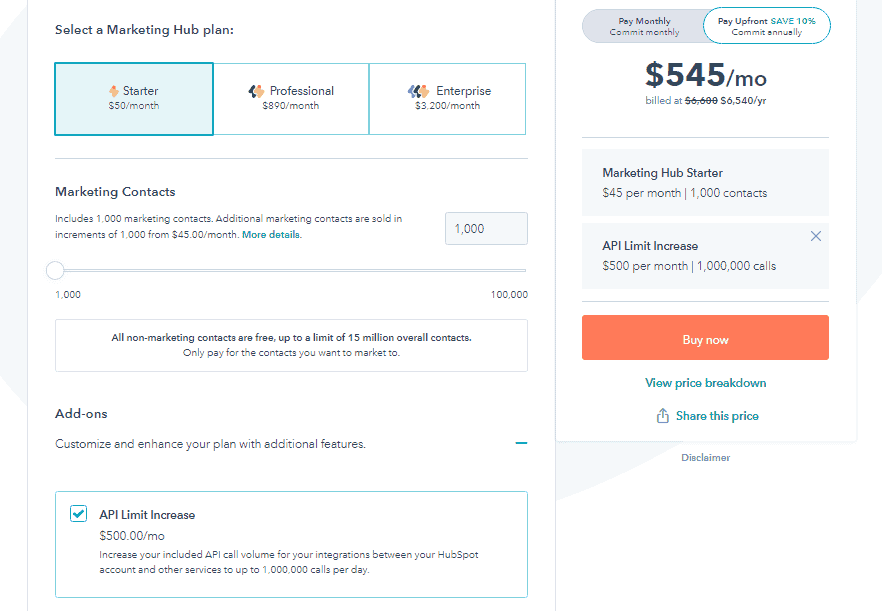
Besides the plans, add-ons follow the same route and can quickly result in huge bills.
Say you’re using the starter package, which costs $50, and you decide to get a little functionality boost.
The only API limit increase available for this level costs $500. That’s 10x higher than the initial plan.
Let that sink in for a second.
Of course, large companies with higher needs and bigger budgets can afford these astronomical fees and justify their use.
But for startups and small businesses with limited resources, using the HubSpot CRM platform requires lots of thought because of the hefty price tags. This results in the big question …
Read also: HubSpot vs SharpSpring — A Side-by-Side Comparison of Key Features
Is HubSpot Worth The Money For Small Businesses?
To understand if HubSpot is a good choice for your small business, there are three main factors to consider:
Your Business Needs
The value of CRM software depends on how well it meets your business needs.
Carefully evaluate your immediate and future needs against the features in HubSpot.
Does it fit into your processes?
Does it support your overall marketing goals and objectives?
Is it scalable?
Also, what is HubSpot used for?
It’s important to know that while the HubSpot CRM platform has some cool features, critical tools that you’ll need in the future are likely locked away in more expensive plans that cost at least 1,000% more than their starter plans.
Here’s what a customer says about this:
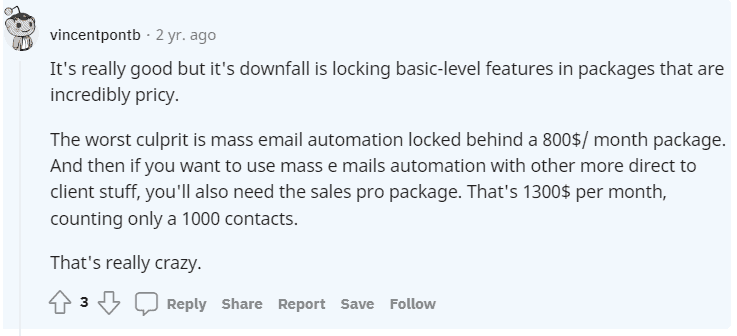
This was two years ago. Today, the outlook is still the same.
Read also: 9 CRM Best Practices for Small to Large-scale Businesses
Your CRM Budget
How much do you want to invest in a CRM? Your budget goes beyond the monthly/yearly cost of the software.
You need to factor in implementation costs, future upgrades, add-ons, and integrations.
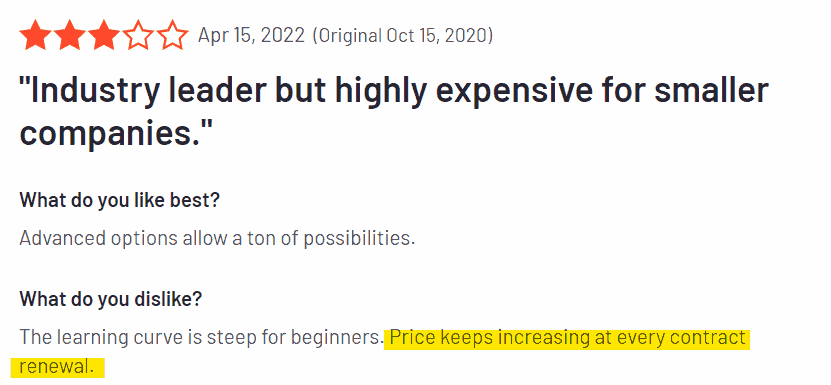
For a clearer view of what HubSpot might cost you, imagine you want to create sequences.
To do this, you’ll have to choose the PRO VERSION within the CRM suite.
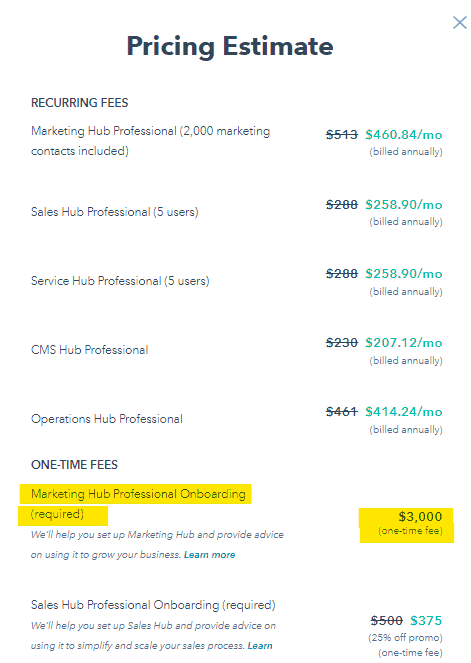

A simple breakdown:
- Depending on the discount offered, this plan = $1,600
- Billed annually, we have= $19,200
- Add a combined one-time HubSpot onboarding fee= $3,750
- You’ll have to cough up $22,950
That’s a huge bill that’s out of reach of many small businesses.
As such, you’ll have better chances with other tools that offer these HubSpot CRM features for a fraction of the cost.
For example, on EngageBay, you can create a limited number of email sequences for free!
Technical Support
There’s only so much that free help guides and tutorials can cover.
To get quality help for your CRM implementation success, you need specialized training and support that aligns with your processes.
Most software like EngageBay that targets small businesses offers extra functionality like email & chat support in the free CRM, free onboarding, and more.
But in the HubSpot CRM platform, you won’t have that support in the free tools.
Also, getting implementation guidance is tricky as onboarding fees can get up to $6,000 in most plans.
If, after evaluating these factors, HubSpot isn’t exactly what you’re looking for, below is a powerful alternative worth checking out.
Read also: 9 Challenges of CRM Implementation & How to Dust Them Off
What is a Great HubSpot Alternative for SMBs?
Like HubSpot, EngageBay is an all-in-one CRM platform with tools that can transform your digital marketing, sales, and customer service.
EngageBay Vs HubSpot – Which is Better for CRM?
However, what makes it an excellent choice for SMBs is its affordable pricing, powerful features, flexible plan, and exceptional customer service.
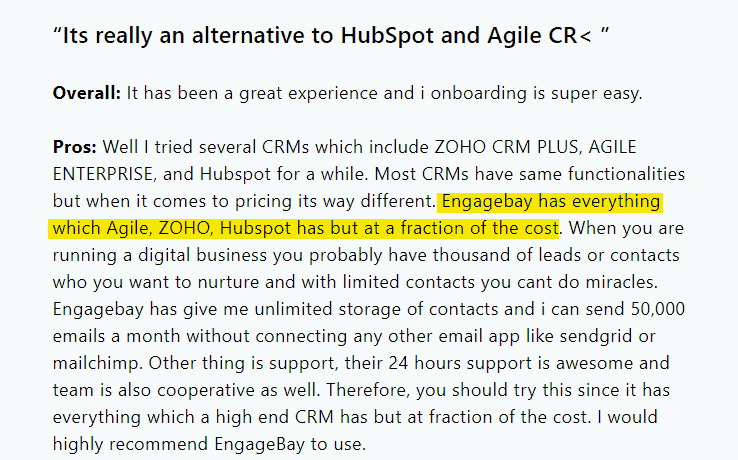
Here’s a closer look at what makes EngageBay a prime choice:
Affordable Pricing Plans
EngageBay pricing plans are a match made in heaven for SMBs.
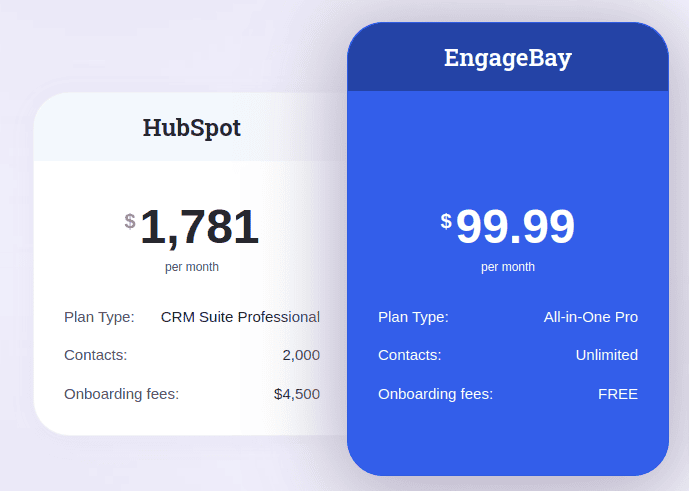
Source: HubSpot vs EngageBay
You can start at $0 on the free plan and get additional features for as low as $12.74/month (biennially) in the all-in-one CRM basic plan.
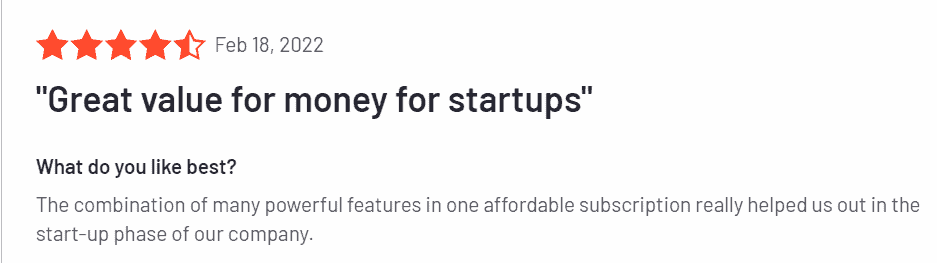
As your business grows, you can advance to the growth package from $55.24/month for comparative features in the HubSpot Pro plan.
The highest package, which gives you access to all the features you need plus a dedicated account manager, costs $101.99/month only.
You’ll scarcely find any HubSpot alternatives that offers such functionality at this friendly pricing.
EngageBay also offers 10% off on all yearly plans and 20% off on biennial plans.
Rich Functionality
EngageBay has an impressive arsenal of tools for SMBs.
From the free CRM tool, you get lots of features like email marketing to 500 contacts, live chat, email sequences, landing pages, 360-degree contact view, lead grabbers, and autoresponders.
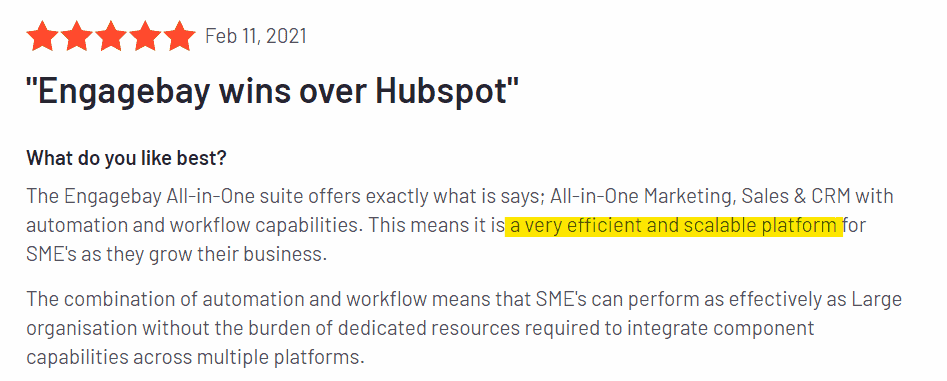
The basic plan comes with additional features like SMS marketing, ticketing management, a social suite, web pop-ups, canned responses, and group management.
You’ll also get 1000 contacts, 3000 branded emails, and an SSL for your landing pages.

For the Growth package, you’ll have access to A/B testing, marketing automation, push notifications, proposals, call reports, and more.
Finally, the Pro EngageBay plan not only comes with advanced functionality of what exists but adds role management, conversational inbox, role management, web analytics, etc.
These are highlights. To know what tools are available for your business, check out EngageBay’s extensive features for free & paid plans.
Read also: HubSpot vs Keap — Is HubSpot Really a Better Product?
Easy To Use
A common scenario: You buy a CRM, try setting it up, and find out it’s as complex as navigating a spaceship.
This leaves you no choice but to waste huge amounts of time setting up simple tasks or spend lots of money on onboarding.
That’s not the case in EngageBay.
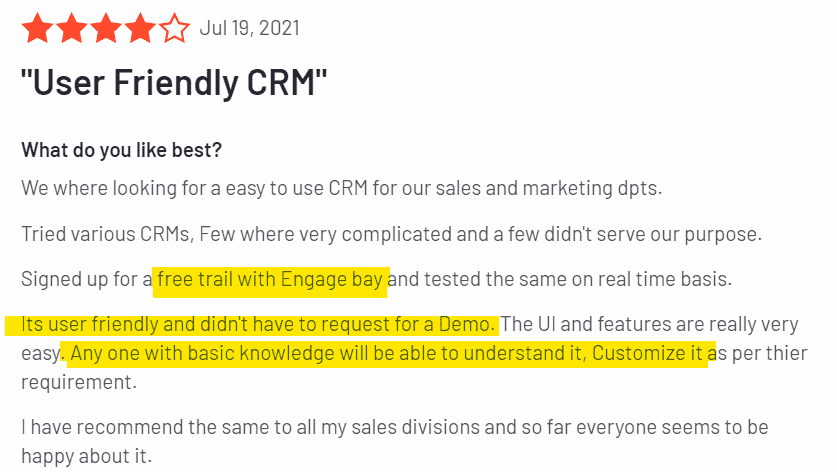
Our software is intuitive and super easy to use whether you’re a seasoned marketer or a beginner.
In fact, each feature and bay is designed to help you perform tasks in just a few clicks.
You Aren’t Locked Into Annual Contracts
Flexible pricing is the way forward, and we’re here to help. Regardless of which plan you choose, you have access to monthly and yearly plans.
There’s no mandatory annual commitment.
You can use EngageBay for as many months as you like and cancel anytime.
Read more: 8 Fantastic HubSpot Alternatives for Small Businesses (Features, Pricing)
Responsive Customer Support Team
Run into a snag? Our customer support team is always available to offer technical support.
It doesn’t matter if you’re not using a paid plan. All EngageBay users can get help from our email or chat support to solve from the simplest issues to complex ones.
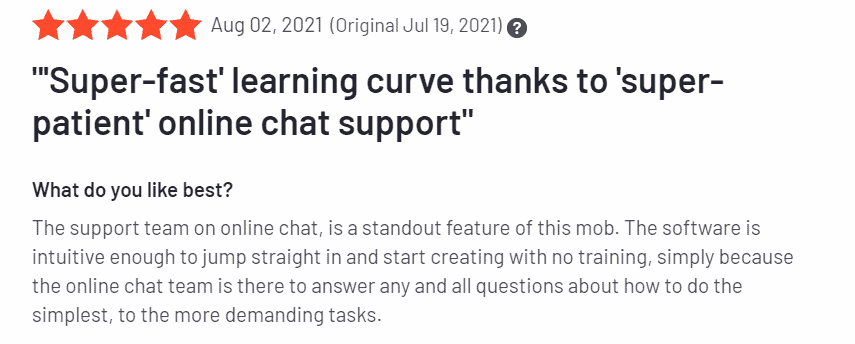
If you’re looking for highly specialized assistance beyond these options, you can also get a dedicated account manager in the pro plan.
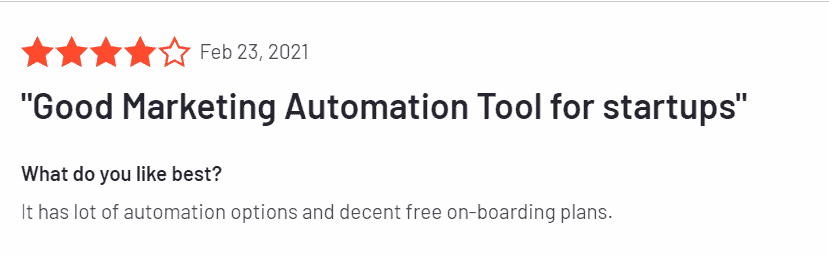
Are you looking to see what EngageBay offers? You can sign up for a free trial; no credit card is required.
What’s more? If you eventually commit to any package after the trial, we offer free onboarding that saves you thousands of dollars.
Marketing Madness: HubSpot vs EngageBay Face‑Off!
Learn more about EngageBay:
Sign up with EngageBay for free
Wrap Up on HubSpot CRM, Features, and Pricing
We believe this post has given you a high-level overview of what to expect from HubSpot CRM.
On HubSpot, you have three options: the free tools, the CRM suite, or any of its various hubs.
The free tools come with many limitations that could affect your ability to scale your business.
On the other hand, if you choose any of HubSpot’s paid plans, you have to buckle up because high subscription fees will come hitting on your business.
Plus, there are one-time onboarding fees depending on the chosen plan. All of these can quickly balloon up to $22,950 – $72,000 for the pro and enterprise packages.
For a small business owner with a limited budget, this is a steep price.
The best CRM is one that offers you the features you need at a fair cost.
And such a software solution is the EngageBay CRM designed specifically for SMBs that want maximum value at affordable pricing.
Looking to see how EngageBay CRM can help you grow your small business? Sign up for free today.
Related reading:
- The best CRM Tools for Small Businesses
- The 14 Best CRM Automation Software in 2024
- 15 Best Marketing Automation Tools for Small Businesses
- Is HubSpot Worth It? In-Depth Review for Small Businesses
A: Yes, HubSpot offers a free‐forever tier with 20‑plus tools (contact management, email marketing, live chat, basic dashboards, etc.). However, advanced reporting, automation workflows, and removal of HubSpot branding are locked behind paid plans—so most growing teams upgrade sooner rather than later.
A: HubSpot’s paid tiers charge per “core seat” and by the size of your contact list, plus one‑time onboarding fees on most Professional and Enterprise packages. Add‑ons (like additional API calls or reporting modules) can quickly multiply the bill, pushing annual costs well past $20K for even mid‑sized teams.
A: The suite bundles five hubs—Marketing, Sales, Service, CMS, and Operations—under one login. Each hub can be bought separately, but the all‑in‑one CRM plan unlocks every tool for campaign automation, content hosting, ticketing, analytics, and data sync in a single dashboard.
A: The free tier caps you at 1,000 marketing contacts, limits dashboards to basic metrics, imposes HubSpot branding on forms and emails, offers no workflow automation, and restricts support to community forums. Those constraints can hamper scaling efforts once your pipeline or email volume grows.
A: EngageBay provides comparable all‑in‑one marketing, sales, and service tools but starts at $0 (free plan) and scales to just $101.99 per user on its top Pro tier—without onboarding fees or seat‑based surcharges—making it budget‑friendly for startups and SMBs.

